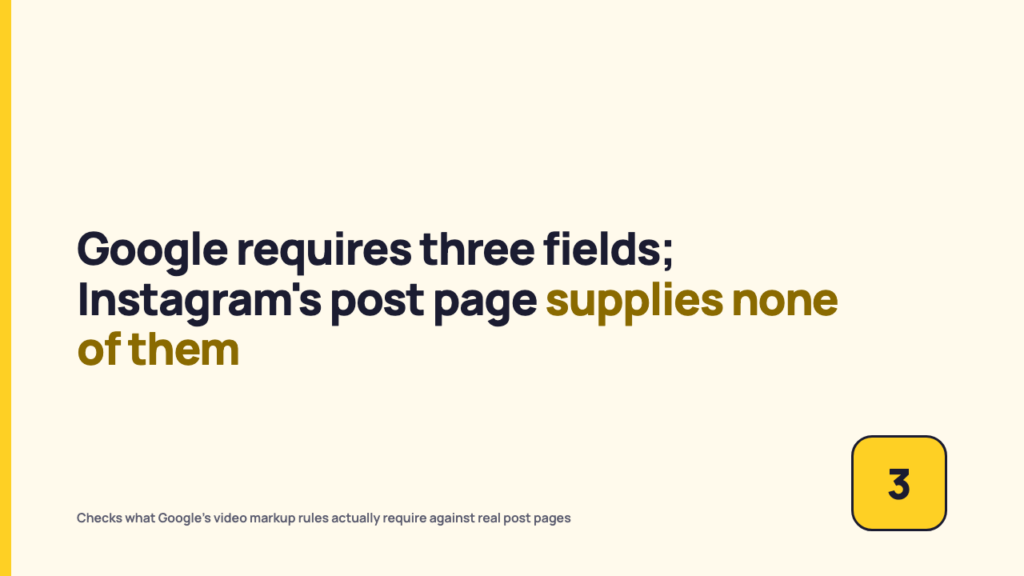
Someone on the team posts a video, it gets a healthy number of views on the platform, and a week later it still will not show up when a customer googles the exact product it demonstrates. The usual troubleshooting goes to captions, hashtags, or posting time. None of that is the right place to look. Whether a video is even eligible for a Google video rich result is a documented, checkable, binary technical condition, separate from cadence, captions, or how the platform’s own algorithm treats the post. Google names three required fields for a video to qualify: name, thumbnailUrl, and uploadDate. Before touching the content strategy, it is worth finding out whether the page even supplies them.
The advice stops one step short
“Post consistently” is not wrong, exactly. It addresses volume and it addresses how a platform’s own recommendation system treats an account over time. What it does not address is whether any single post’s page, the actual URL a search engine would crawl, carries the markup Google requires to treat that page as eligible for a video result at all. That is a separate question from whether the account is active, whether the caption is good, or whether the platform’s internal search surfaces the clip to its own users. It is answered by looking at the page’s raw HTML source, not by looking at engagement numbers.
Three fields decide the floor for eligibility: name, thumbnailUrl, and uploadDate. The rest of this piece explains where Google states that requirement, why it is separate from posting habits, and what a direct look at real post pages across a few platforms actually showed on the date checked. It is the same discipline as checking what a platform has actually published, versus what gets assumed, applied to a search engine’s documentation instead of a platform’s.
What Google’s own documentation requires
Google Search Central’s video structured data documentation is the primary source here, fetched directly for this piece on 2026-09-22, and the page itself carries a “Last updated 2026-09-08 UTC” notice at the bottom, so the requirement below reflects current guidance rather than an older cached version. This is the developer-facing documentation a platform actually publishes, in this case Google’s own, rather than a secondhand summary of it.
The page states it plainly: “If you don’t include the required properties, Google may not be able to extract any information about the video.” The three required VideoObject properties, listed exactly as documented, are:
- name (Text): the title of the video. Google’s documentation adds that the text should be unique for each video on the site.
- thumbnailUrl (Repeated URL): a URL pointing to the video’s unique thumbnail image file.
- uploadDate (DateTime, ISO 8601 format): the date and time the video was first published. Google recommends including timezone information, otherwise it defaults to the timezone used by its own crawler.
These three sit under a heading Google labels, without qualification, “Required properties.” Nothing else on the page carries that label for the base VideoObject type. Taking that label at face value, rather than assuming a common-sense definition, is the same approach worth applying to what the platform documentation actually defines for a metric like a view.
Required versus recommended, and why the difference is not cosmetic
Google’s documentation lists a longer set of “Recommended properties”: contentUrl, embedUrl, description, duration, expires, hasPart, ineligibleRegion, interactionStatistic, and publication, confirmed against the schema.org VideoObject reference as real, defined properties. Each recommended property unlocks a specific named feature, not eligibility itself. BroadcastEvent nested under publication makes a livestream eligible for the LIVE badge; Clip or SeekToAction makes a video eligible for key moments, the timestamped chapter markers under some video results. None of that substitutes for the three required fields: a flawless BroadcastEvent block still fails a basic video result if name, thumbnailUrl, or uploadDate is missing, because the required fields are the floor, not one option among several.
Where this markup would have to live, and who actually controls it
This is the part that gets skipped in most troubleshooting, because it is not an intuitive place to look. VideoObject data has to exist as structured markup, whether JSON-LD, microdata, or RDFa, embedded in the page’s raw HTML source. Not the version a browser renders after JavaScript runs, not the app view a logged-in user sees. The literal bytes a crawler receives when it requests the URL.
On a social platform’s own post page, that HTML template is built by the platform’s engineering team, not assembled by whoever uploaded the video. There is no caption field, setting, or hashtag that inserts a name property or a thumbnailUrl property into that markup. If the platform’s template does not emit it, it does not exist, no matter how the post was written or tagged.
This is exactly why “post consistently” cannot fix a missing required field. Posting more often changes what gets published and, over time, how a platform’s recommendation system treats an account. It changes nothing about what the page template emits into the HTML source, because that template is the same regardless of how many times the account has posted. The fix, if one exists, is not available to the person who made the video.
What a direct check of real post pages showed
This is a small, named spot check of specific pages fetched on 2026-09-22. It is not a study, not a sample, and not a claim about how any platform behaves everywhere or for every post it hosts, only about what the raw HTML source of these particular URLs contained on this date.
| Platform | URL checked | name | thumbnailUrl | uploadDate |
|---|---|---|---|---|
| YouTube | youtube.com/watch?v=dQw4w9WgXcQ | Present | Present | Present |
| instagram.com/p/B8pAEwoAMFq/ | Absent | Absent | Absent |
YouTube’s page carried a complete application/ld+json block typed VideoObject, with a name property holding the video’s title, a thumbnailUrl pointing to a specific image file, and an uploadDate in ISO 8601 format with timezone offset. All three required fields, present and correctly typed.
Instagram’s post page returned an HTTP 200 status, which on its own proves nothing. The raw source it served back for this unauthenticated request was a generic application shell, titled simply “Instagram,” carrying no post-specific meta tags, no og:title, no og:image, no structured data block of any kind referencing this particular video. None of the three required fields were present, and no other identifying information about the post was either. A 200 status code is not evidence that a page’s content was actually served.
These are two URLs, checked once, on one date. They are not evidence of a platform-wide pattern, only of what these specific page templates emitted to a logged-out request on 2026-09-22.
This is not the same problem as ranking in the platform’s own search
Google Search eligibility and a platform’s own in-app search run on two systems that share no inputs. A crawler requests a URL, parses whatever markup is present, and either can or cannot extract the fields it needs. A platform’s Explore or For You ranking runs on its own signals, with no dependency on VideoObject markup, so a video can rank well inside a platform’s own discovery surfaces while being simultaneously ineligible for a Google video rich result. A missing required field is not evidence of an algorithmic penalty: Google’s documentation describes an extraction and eligibility effect, a statement about what a crawler can parse, not demotion. A missing thumbnailUrl is a markup gap, not a ranking judgment.
What is actually in a manager’s control here
Given that a platform’s page template is not something an individual account holder can edit, the realistic list of next steps is short and it does not include anything done from inside the platform’s own posting interface.
- Use Google’s Rich Results Test, the tool named directly in Google’s own structured data documentation, to check any page actually owned and controlled, such as a company website or blog post, rather than a platform’s post page. This only works on pages within the reader’s own control.
- Where the platform’s own post page is not eligible and cannot be made eligible, the closest available fix is publishing or embedding the same video on an owned page that carries correct VideoObject markup, name, thumbnailUrl, and uploadDate all present and correctly typed, and letting that owned page be the one that competes for the video rich result.
- Rule out caption edits, hashtag changes, and posting frequency explicitly as fixes. None of them touch the page’s HTML source, and none of them can insert a property the platform’s template does not already emit.
Check your own pages before assuming the platform’s
The reader who wants to know whether their own video content is structured for Google search results now has a specific, mechanical check rather than a vague sense that “the algorithm” is at fault: run a page through the Rich Results Test, read the raw source for the three field names, and know which leg of this is a platform limitation and which leg an owned page can actually fix.
FAQ
Can I add VideoObject markup to my Instagram or TikTok post myself?
No. There is no setting, caption field, or hashtag available to an account holder that inserts structured data into a platform’s post page. If a fix exists, it is on the platform’s engineering side, in the template that builds that page, not in anything available to the person who posted the video.
Does missing structured data hurt my video in the platform’s own algorithm?
That is not what Google’s documentation establishes. It describes an extraction and eligibility effect for Google Search specifically, meaning Google’s crawler may not be able to read information about the video. It does not describe a penalty inside the platform’s own ranking system, and this piece does not claim one exists.
Does this affect whether my video shows up in the platform’s own search or explore tab?
No. In-app discovery runs on its own ranking system. Google’s video rich result eligibility is a separate system built on structured data extraction, and success in one says nothing about eligibility in the other.
Where can I actually test this for a page I control?
Google’s Rich Results Test, named in Google’s own documentation, checks whether a page’s markup is valid. It only works on pages the reader controls, not a platform’s own post page.
Sources
- Google Search Central: Video (VideoObject, Clip, BroadcastEvent) structured data, fetched 2026-09-22, page shows “Last updated 2026-09-08 UTC”
- schema.org: VideoObject, fetched 2026-09-22
- youtube.com/watch?v=dQw4w9WgXcQ, raw page source checked 2026-09-22
- instagram.com/p/B8pAEwoAMFq/, raw page source checked 2026-09-22