Someone turns on Instagram’s Hidden Words filter the day before a launch, a casting call, or a pile on they can already see coming, and then has to guess what it actually screens out. The settings screen never lists what it is checking against. Instagram’s own announcements and Help Center do describe the feature, in dated wording, and this piece quotes them: what Hidden Words filters, what a manager still has to type in themselves, and where the honest limit sits. Pages were read on 3 November 2026.
What Hidden Words is, according to Instagram
Instagram introduced Hidden Words on 21 April 2021 as a filter that, when turned on, would “automatically filter DM requests containing offensive words, phrases and emojis, so you never have to see them”, starting in several countries. Its 10 August 2021 announcement, by Adam Mosseri, describes Hidden Words as a tool “which allows you to automatically filter offensive words, phrases and emojis into a Hidden Folder, that you never have to open if you don’t want to”, adds that “It also filters DM requests that are likely to be spammy or low-quality”, and says it “will be available for everyone globally by the end of this month”.
That framing matters for a practitioner because it tells you what the feature was built to do before you ask what it currently catches. It is something an account holder switches on, a comment and DM triage tool aimed at abuse and spam, not a general content moderation system that Instagram runs centrally on their behalf.
What the default list covers, and what Instagram says about updating it
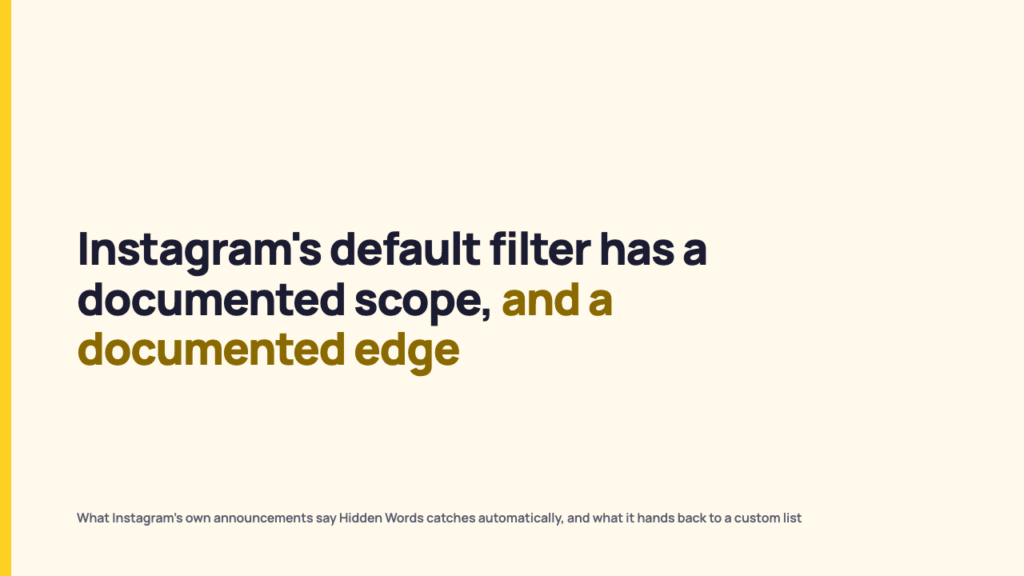
Instagram says the list is not static. The same August 2021 post states: “We’ve expanded the list of potentially offensive words, hashtags and emojis that we automatically filter out of comments, and will continue updating it frequently.” Note the scope of that sentence: it is about the automatic comment filter. What no Instagram source publishes is the literal list of words, phrases or emojis. What gets described publicly are categories, the general shape of what gets caught, and dated notes on how that shape has changed.
The clearest documented example is the 20 October 2022 update. It lists “Improving our filtering to spot and hide more intentional misspellings of offensive terms, for instance, if someone uses a “1” instead of an “i””, “Supporting new languages, including Farsi, Turkish, Russian, Bengali, Marathi, Telugu, and Tamil”, and “Adding new terms to filter message requests that might contain scams or spam”, starting “in English in certain countries”. None of that tells a moderator which words are on the list. It tells them the list got better at catching disguised versions of words and at handling more languages, which is a different kind of information and a narrower promise than it might sound.
Default filter versus custom word list: where the line actually sits
Instagram lets account holders add their own terms on top of the default. The October 2022 post says everyone can “build a custom list with additional words, phrases, and emojis they may want to hide”, and the current Help Center page says you can add “words, phrases, numbers or emojis that you don’t want to see in comments and message requests to your list of Custom words and phrases”. The word additional is doing real work: a custom list layered on top of a default only makes sense if the default does not cover everything.
The table below separates what Instagram describes as automatic from what the account holder has to build.
| Layer | What is documented | Who controls it |
|---|---|---|
| Default filter | The Help Center’s “Hide unwanted comments” setting hides comments “containing common offensive words, phrases, or emojis that are likely to be abusive or mean” and is on by default. “Hide unwanted message requests” sends requests that “may contain scams or offensive words, phrases or emojis” to the spam folder, and is off by default. Described as categories, not a list. | Instagram, undocumented in specific terms |
| Custom list | “Custom words and phrases”: words, phrases, numbers or emojis the account holder adds, which “will be hidden from comments in posts you share and message requests”. | The account holder, entirely |
| Coded terms, targeted phrases, slur variants specific to one account’s harassment | Not confirmed as covered by the default in any source read for this piece | Relies on the account holder having added it to the custom list |
Because the default categories are described in general terms rather than as an itemised list, a moderator cannot know from the outside whether a specific slur variant, a coded term, or a phrase unique to one account’s harassment pattern is inside that default set. What can be stated with confidence is that Instagram offers a custom list at all, which by itself implies the default is not exhaustive.
What has changed since 2021, and why an old answer is not a current one
- April 2021: launched for DM requests in several countries; filtered requests go to “a separate hidden requests folder” (announcement, 21 April 2021).
- August 2021: global rollout announced, covering offensive words, phrases and emojis in a Hidden Folder and spammy or low-quality DM requests, with the comment filter list expanded (announcement, 10 August 2021).
- October 2022: intentional misspelling detection, seven added languages, scam and spam terms for message requests, Story replies from people you don’t follow sent to the Hidden Requests folder, and a test of “automatically turning on Hidden Words for Creator accounts” (announcement, 20 October 2022).
- September 2024: for Teen Accounts, Meta said it would “automatically turn on the most restrictive version of our anti-bullying feature, Hidden Words” for teens’ comments and DM requests (Meta newsroom, 17 September 2024).
- July 2025: Hidden Words turned on for adult-managed accounts that primarily feature children (Meta newsroom, 23 July 2025).
Threads now has Hidden Words settings of its own. Instagram’s Help Center page Hide posts you don’t want to see on Threads, read on 3 November 2026, says they are managed in the Threads app under Content preferences, that automatically hiding common offensive words in replies is on by default, and that custom filters hide matching posts from your feeds and cover them in search results and on others’ profiles. It also says Hidden Words settings “currently won’t apply to messages you receive on Threads”. The page does not date the change.
The wording has drifted too. The 2021 and 2022 announcements talk about a Hidden Folder and a Hidden Requests folder; the current Help Center page names the settings “Hide unwanted comments” and “Hide unwanted message requests” and says filtered requests “will appear in your spam folder”. A manager reading any description of Hidden Words that cites only a single launch date is reading one that may already be out of date on scope. Check Instagram’s announcements page and the Help Center before acting on anything here.
Setting up comment and DM filtering without assuming the default is enough
Treat this as three separate controls, not one moderation system: the default filters, the custom word list layered on top of them, and account level tools such as Restrict, block, and report, which work independently of what the filters hide. Note also that the two default settings start differently, according to the Help Center: comment hiding is on by default, message request filtering is off. Treating these as one setting is how a manager ends up assuming coverage that was never promised.
The honest limit is this: because no Instagram source publishes the literal default word list, no one outside the company, including this publication, can say with certainty whether a specific slur variant, coded term, or targeted phrase is caught before anyone adds it manually. What is defensible is narrower and still useful. Instagram offers a custom list of additional terms, which means the responsible default for any account running comments or DMs at volume is to build that list, and to switch on message request filtering, rather than to assume the out of the box filter is doing that job already. Filtering decides what reaches the team; how fast the team answers what does reach it is a separate promise, and realistic response times for Instagram comments are a better basis for making one.
How to turn on Hidden Words and add custom words
Instagram’s Help Center page gives the steps separately for each device. The steps below are the ones it shows for a computer, as read on 3 November 2026. The app versions sit under the iPhone and Android tabs of the same page, and menu labels change, so check that page if a step does not match your screen.
- On Instagram.com, click More in the bottom left, then click Settings.
- Below How others can interact with you, click Hidden Words.
- Click Manage custom words and phrases at the bottom.
- Enter the words, phrases, numbers or emojis you want to hide, separating each entry with a comma, then click Submit to save the list.
The same page sets some limits. It says comment and message request filtering options “may vary on web and may not be available in all experiences”, and that the custom list for message requests and the Hide unwanted message requests setting are not currently supported on web browsers. Hide unwanted comments is on by default and Hide unwanted message requests is off, so the message request setting is the one to switch on deliberately. The page also says hidden comments still count toward the total comment count, and that the person who sent a hidden comment or message is not told. Who can comment at all is a separate control, under Comments in the same How others can interact with you section of Settings.
Get more of this in your inbox
RecurPost Blog covers the platform mechanics behind the accounts you run, dated and sourced back to the platforms themselves wherever a source can actually be read. Follow along for the next teardown of what a feature actually does versus what it is described as doing.
FAQ
Does Instagram publish the exact list of words Hidden Words blocks by default?
No. Instagram’s announcements and Help Center describe the default scope in categories, offensive words, phrases and emojis, and spammy or scam message requests, rather than as an itemised list. No source read for this piece publishes the literal words filtered by default.
If I turn on Hidden Words, do I still need a custom list?
Yes, on the available evidence. Instagram says everyone can “build a custom list with additional words, phrases, and emojis they may want to hide”, which only makes sense if the default does not cover every case, including coded slurs, targeted phrases, or terms specific to one account’s harassment pattern.
Why is Hidden Words not catching some comments?
Instagram does not publish the default list, so no one outside the company can check whether a given word, misspelling or coded term is on it. The Help Center describes the default only as hiding comments “containing common offensive words, phrases, or emojis that are likely to be abusive or mean”, which is a category, not a guarantee. Terms specific to your account belong on the custom list. Check which setting is involved, too: Hide unwanted comments is on by default, Hide unwanted message requests is off, and the Help Center says the message request custom list and setting are not currently supported on web browsers.