

A client wants a plain background behind a video in Friday’s Story. The freelance manager creating it opens the Story editor and looks for a background colour control. The scenario above is hypothetical.
This post reads five Instagram Help Center articles and the Stories article list, read on 2026-10-14. No Story was built in the app.
Instagram’s help pages document four features related to Story backgrounds:
- Colour background for text
- Drawing colors
- AI backgrounds for reshared feed posts
- Meta AI tool that expands photos
The pages reviewed do not describe a solid color fill behind an uploaded photo or video.
What the help pages document about Story backgrounds
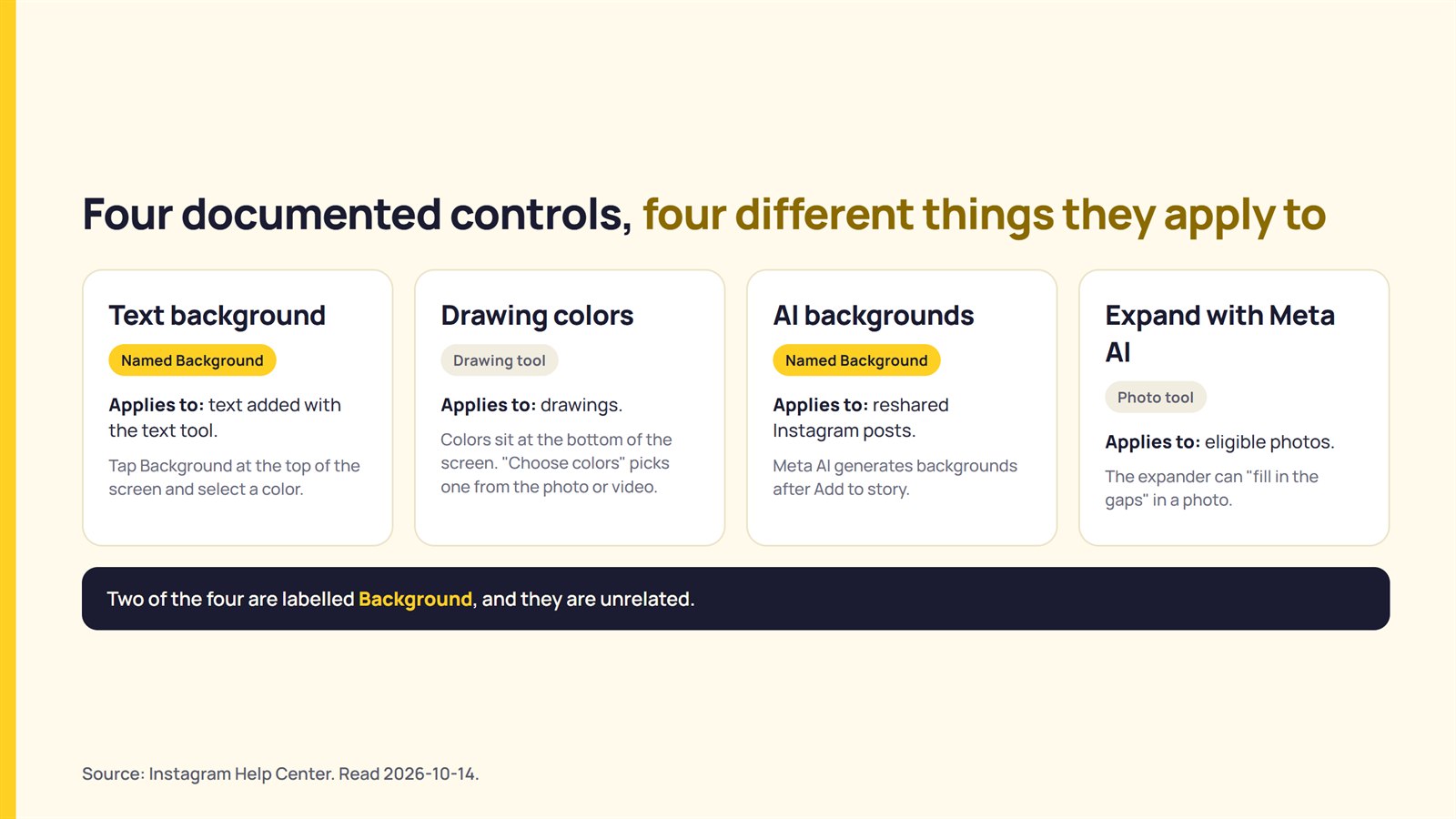
The four documented controls apply to different elements: text, drawings, reshared posts and photos. Two of these controls use the name Background.
| Control | What the page says | What it applies to |
|---|---|---|
| Text background | “Add a color background to text by tapping Background at the top of the screen and selecting a color.” | Text added with the text tool |
| Drawing colors | Colors sit at the bottom of the screen. “Choose colors” lets a person pick a color from the photo or video. | Drawings |
| AI backgrounds | Meta AI can generate backgrounds when a post is reshared to a Story. The control is Background, after Add to story. | Reshared Instagram posts |
| Expand with Meta AI | The expander can “fill in the gaps” in a photo. | Eligible photos |
Sources: Instagram Help Center, Tips for uploading, recording and editing your Instagram story; AI backgrounds in Instagram Stories; Expand photos with Meta AI on Instagram Stories. Read 2026-10-14. Full list under Sources.
Take a freelance manager who builds Stories for four clients. The manager sees the word Background in the text tool and again when resharing a post. These controls are unrelated, and the table above keeps them apart.
Colour behind text and colours for drawing
Instagram’s Tips article documents a color background for text, not for the Story itself. When adding text, a person taps Background at the top of the screen and selects a color.
The same article explains how to choose drawing colors. A person selects a color at the bottom of the screen, swipes left for more colors, or taps and holds a circle for more options. The “Choose colors” option lets a person drag and drop to select a color from the photo or video.
The Tips article also describes how to start a Story without a photo or video. A person taps Create and swipes left to access options such as typing something, adding a GIF, or asking a question. The article does not provide instructions for adding a background through this method.
Consider a client who wants a caption on a white card over a photo. The text Background control adds colour behind the text, which suits a caption card. That fit is a reading of the article, not a statement from Instagram. The control is documented for text only.
AI backgrounds when you reshare a post
Instagram documents AI backgrounds only for resharing an Instagram post to a Story. The AI backgrounds article lists these steps: tap Share below the photo or video in Feed, tap Add to story, and then tap Background. Background options appear at the bottom of the screen. Reload generates new options, and Done selects a background before the post is shared.
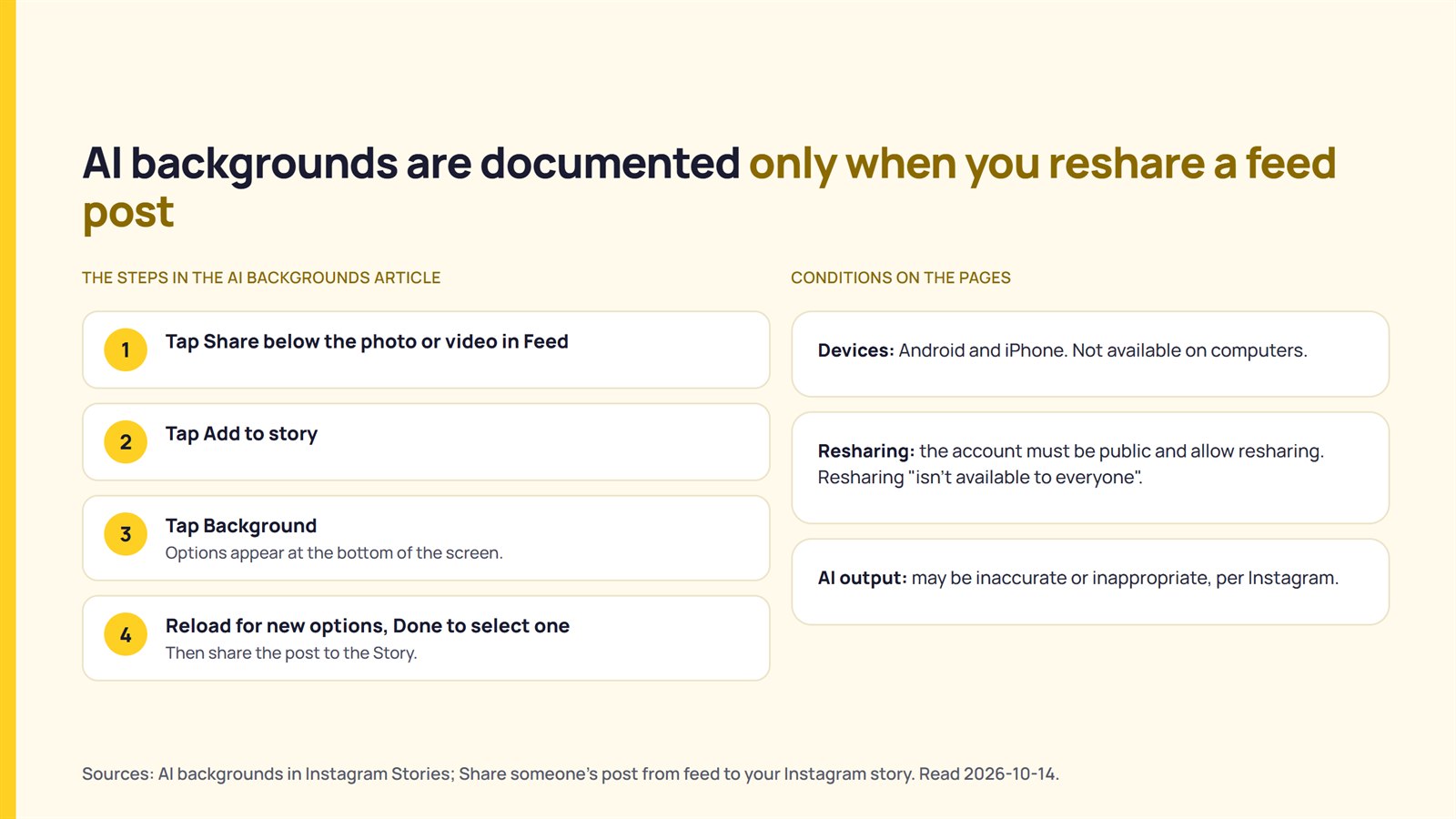
The AI backgrounds article covers Android and iPhone and states that the feature is not available on computers. The article about resharing a post says a post can be shared to a Story only if the account is public and allows resharing. It also states that resharing “isn’t available to everyone”. The reshare article’s own steps do not mention Background.
Instagram’s AI article also states that interactions with AI are subject to Community Standards and Terms of Service, and that an AI response may be inaccurate or inappropriate. For related context, see how Meta’s AI label decides what to flag.
A manager who reshares a client’s feed post to the client’s Story and wants a backdrop fits this feature. A manager who uploads a photo or video straight to a Story does not, because the article describes resharing only.
Expanding a photo with Meta AI
Instagram documents a Meta AI expander for photos in Stories. The article says the expander can examine a photo and “fill in the gaps”.
The article lists these steps: tap Create or swipe right in Feed, scroll to Story, and swipe up to choose a photo from the camera roll. An icon appears if the image is eligible for expansion. A person taps the icon, taps the image to try again or taps Done, and then posts the Story. The article states that photos from the camera roll are processed under the Meta AI Terms.
Consider a manager whose photo does not fill the Story. The expander article describes filling gaps in a photo, but it does not mention Story backgrounds, video or which images are eligible.
What the pages do not document
None of the pages reviewed describe a solid color fill behind an uploaded photo or video. The Stories article list contains no article about background color. The Share a photo or video article lists the Draw, Text and Sticker tools; none of them is a background control.

A client who wants a plain coloured area around a vertical video therefore finds no instructions for doing so in the pages reviewed. That conclusion is an inference from the documentation, not a statement from Instagram. This finding concerns the pages, not the app.
Before you promise a client a Story background
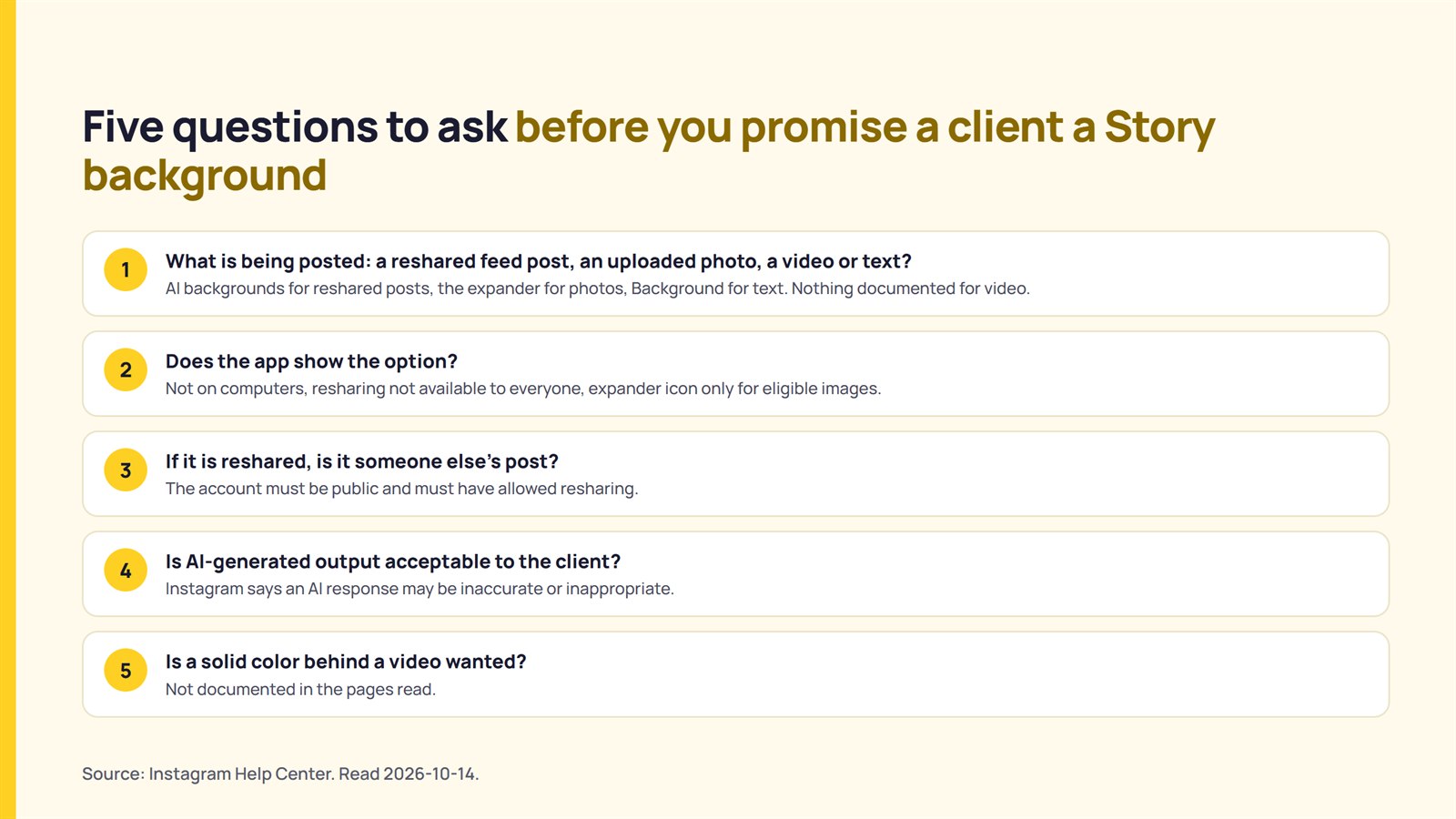
Five questions help sort a request before anything is promised to the client.
| Question | What the documentation says to look for |
|---|---|
| 1. What is being posted: a reshared feed post, an uploaded photo, a video or text? | AI backgrounds are documented for reshared posts, the expander for photos, and the Background control for text. No page read documents a background for video. |
| 2. Does the app show the option? | The AI backgrounds article says the feature is not on computers. The reshare article says resharing is not available to everyone. The expander icon appears only if the image is eligible. |
| 3. If it is reshared, is it someone else’s post? | The account must be public and must have allowed resharing. |
| 4. Is AI-generated output acceptable to the client? | Instagram says an AI response may be inaccurate or inappropriate. |
| 5. Is a solid color behind a video wanted? | Not documented in the pages read. |
The person creating the Story must answer the last question. The Instagram pages reviewed do not provide an answer.
What could not be confirmed
This reading cannot settle eight points:
- The pages reviewed do not document a solid color background behind an uploaded photo or video.
- The Tips article mentions the option to type something under Create but provides no steps or confirmation that this option includes a background color control.
- The pages do not specify which accounts, regions or app versions have access to AI backgrounds and the expander.
- The expander article does not specify which images are eligible for expansion.
- The iPhone view was read for every article; the Android view was read only for the Tips article.
- The pages do not show revision dates.
- Third-party tutorials and search summaries describe other methods, but these sources were not used.
- The features were not tested in the app by creating a Story, so the in-app controls may differ from those described in the pages.
FAQ
How do I change the background color of an Instagram Story?
Instagram’s help pages document a colour background for text, not a colour fill for the entire Story. Instagram’s Tips article says: “Add a color background to text by tapping Background at the top of the screen and selecting a color.”
Can I change the background behind a video in a Story?
The pages reviewed do not describe a way to fill the area around a video with a color. They do document drawing colors, AI backgrounds for reshared posts and an expander for photos.
What are AI backgrounds on Instagram Stories?
Instagram says Meta AI can generate backgrounds when a person reshares a post to a Story. The person taps Add to story and then Background. The article lists the feature for Android and iPhone.
Can I use AI backgrounds on a photo I upload?
The pages read document AI backgrounds only for resharing a post. A separate article describes a Meta AI tool that expands photos from the camera roll. Its icon appears only if the image is eligible for expansion.
Sources
- Instagram Help Center, “Tips for uploading, recording and editing your Instagram story“, fetched 2026-10-14.
- Instagram Help Center, “Share a photo or video to your Instagram story“, fetched 2026-10-14.
- Instagram Help Center, “AI backgrounds in Instagram Stories“, fetched 2026-10-14.
- Instagram Help Center, “Share someone’s post from feed to your Instagram story“, fetched 2026-10-14.
- Instagram Help Center, “Expand photos with Meta AI on Instagram Stories“, fetched 2026-10-14.
- Instagram Help Center, “Stories” article list, fetched 2026-10-14.