Picture a manager looking at two reports. The platform report says 1,000 link clicks. The website analytics report shows noticeably fewer visits, and the question lands on you: where did the rest go? That scenario is an illustration of the question, not a measured result, and no ratio is implied. The question is fair. The answer starts with a fact about definitions, not faults.
The question a manager asks, and why it is fair
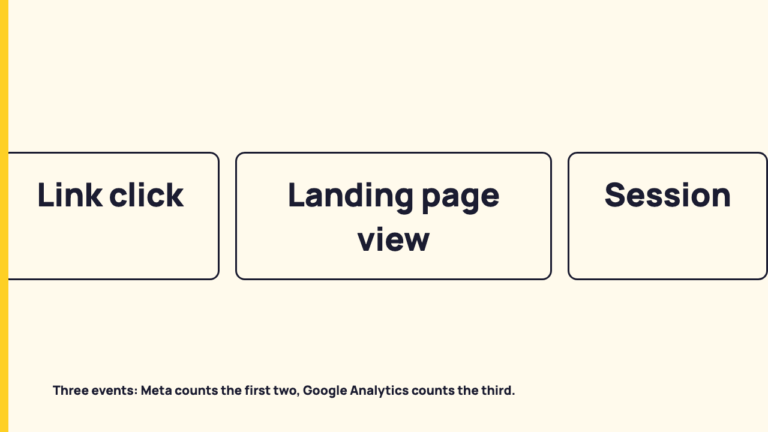
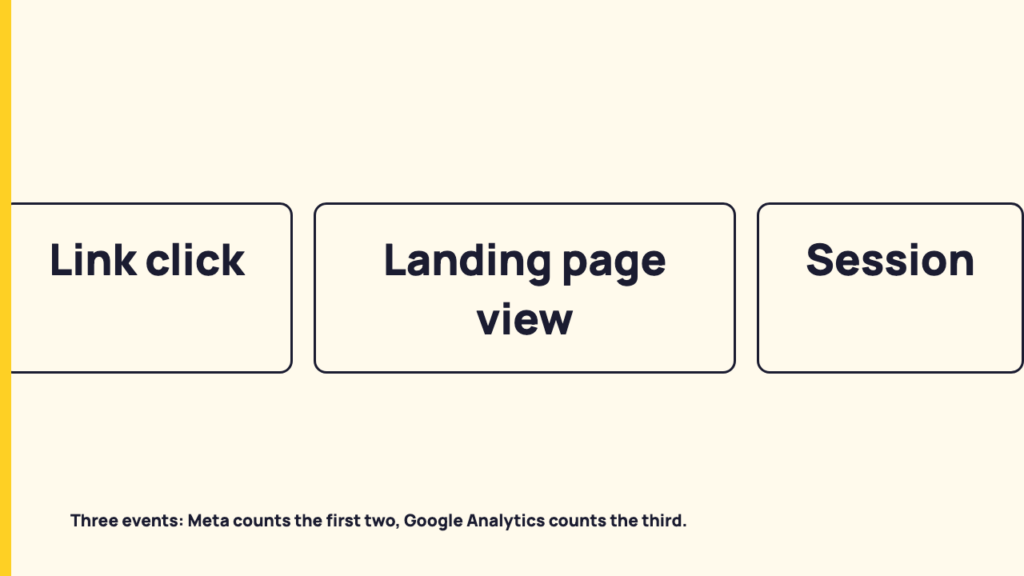
The claim of this post is simple. The platform counts a click. The platform may separately count a page load. The analytics tool counts a session. Each is a separate event, recorded by a separate system, so a gap between the numbers is expected by definition before anyone suspects something is broken. Two neighbouring questions are handled elsewhere: how GA4 decides a visit is social covers which channel a session is filed under, and what each platform counts as a view covers views and impressions. Here we stay with the click, the page load and the session.
Step one: what Meta says a link click is
Meta’s Business Help documentation for the link clicks metric in Ads Manager (accessed 2026-10-06) defines it as a count of clicks on links within the ad that led to advertiser-specified destinations, on or off Meta technologies. Its calculation section widens the verb to clicks, swipes and other gestures on those links. Those pages could not be cited as linked sources in this post, so the Meta wording here is paraphrased and not quoted.
Two things follow from the wording. The destination can be on Meta technologies, so a link click is not necessarily a trip to a website. And the event is a gesture on a link in the ad. Meta describes link clicks as a measure of the interest an ad generates, used in click-through attribution. Read plainly, that is a count of an action taken on the platform, recorded before anything has loaded at the destination.
Meta also documents a related metric, outbound clicks, which counts clicks on links that lead to destinations outside Meta technologies. Meta distinguishes it from link clicks, which include certain Meta experiences, and notes that some traffic might drop off between an outbound click and a webpage view, while outbound clicks give a closer approximation of the traffic intended for a website or app. Even the narrower metric is still a click, not a page view.
Step two: what a landing page view requires
The second event needs the destination to load. Meta’s Ads Manager documentation for the landing page views metric (accessed 2026-10-06) describes it as how many times a website loaded after an ad was clicked, and says the count is made when a webpage loads after an ad is clicked.
Meta also states how the metric is tracked: when people use the in-app browser on Meta technologies to visit the destination pages, or when a Meta Pixel is installed on them. In plain terms, Meta can only count the page load if it can see it, and it can see it through one of two routes: the visitor is inside Meta’s in-app browser, or the page carries the Meta Pixel. A page load that happens outside both routes is not something this metric is described as counting.
The page carries a second caveat. Meta notes that in some cases the metric may be estimated, and that where landing page view events cannot be counted directly because of partial or missing data, statistical modeling may be used to account for some events. Anyone treating the figure as an exact count of page loads should know the documentation does not promise that. It does not say how much is modeled, and neither will this post.
Meta’s separate documentation on the difference between link clicks and landing page views says the two are related but not the same. Its reasons for a mismatch are that the web page may not be fully loading or the app may have failed to open after a link click, and that an ad may have been given multiple link click destinations, not all of which click through to the landing page. Meta also suggests comparing landing page views to link clicks to see how many people may have clicked but left before the website loaded.
Step three: what Google Analytics counts as a session
The third event is counted on your site by a different company’s tool. Google’s “About Analytics sessions” page begins: “A session is a period of time during which a user interacts with your website or app.” On what starts one, it says a session initiates “when a user either opens your app in the foreground or views a page or screen and no session is currently active, for example, their previous session has timed out.”
The mechanism is an event. Google writes: “When a session starts, Google automatically collects a session_start event and generates a session ID (ga_session_id) and session number (ga_session_number) via the session_start event.” And on the ending: “By default, a session ends or times out after 30 minutes of user inactivity.”
Google’s “Automatically collected events” page lists session_start as triggered “when a user engages the app or website,” and page_view for web “each time the page loads or the browser history state is changed by the active site.” The page_view row adds that it is collected by default via enhanced measurement. The consequence fits in one sentence: if no Analytics tag is running on the page, there is no session_start, so there is no session, whatever the platform recorded.
One note for anyone comparing old and new reports. The sessions page says that as of October 2021, Google Analytics began updating the calculation method for session metrics in standard and custom reports, Explorations and Looker Studio. We stop here, at the point a session is created.
Where a person can drop out between the platform and the report
| Event | Who counts it | What has to happen | What the cited documentation says |
|---|---|---|---|
| Link click | Meta | A click, swipe or other gesture on a link within the ad, leading to an advertiser-specified destination | Destination can be on or off Meta technologies; used in click-through attribution |
| Landing page view | Meta | A webpage loads after the ad is clicked, seen through the in-app browser or a Meta Pixel | May be estimated; statistical modeling may be used where data is partial or missing |
| Session | Google Analytics | Analytics collects a session_start event on the page when the user engages | Ends after 30 minutes of inactivity by default; the session ID is generated when it starts |
The sources themselves name four places a person can be counted by one system and not the next. The page may not fully load after a click, per Meta. An ad can have more than one clickable destination, per Meta. A landing page view depends on the in-app browser or the Meta Pixel, per Meta. And a session depends on Analytics running on the page and collecting session_start, per Google.
The sources name these categories of loss but publish no typical percentage. No primary source consulted gives a normal click to visit ratio, so this post gives none, and you should be suspicious of any blog that quotes one without a named source.
Separate two kinds of gap. A definitional gap exists because the two numbers count different things and will never match. A fault is something like a tag missing from the page or a pixel not installed. The documentation can tell you the first kind exists. Only a check of the actual page can tell you whether the second kind is present.
What to say when asked why the numbers do not match
Here is an illustrative walk through the chain, using the hypothetical 1,000 clicks and producing no numbers for the later steps. The platform recorded 1,000 link clicks, each a gesture on a link in the ad. Some of those may have led to a destination on Meta technologies, and some ads may have had several clickable destinations. Of the clicks that led to a website, Meta may have recorded landing page views where the page loaded and it could see the load through the in-app browser or the Pixel, and may have modeled some events. On the website side, Google Analytics would have recorded a session only where its tag ran and collected session_start.
Before calling the gap a problem, ask three questions:
- Which metric is the platform number: link clicks, outbound clicks or landing page views?
- Does the destination page run the analytics tag and the pixel?
- Do the two reports cover the same dates and the same ad or post?
On wording, label the platform figure with its exact Meta metric name, such as “Link clicks (Meta)”, and show the analytics figure as sessions, not as clicks.
What the documentation does not tell you
Meta’s pages are written about its ad metrics, and this post reads them as the definitions for the click-through chain. All of the Meta pages cited are Ads Manager metric pages. I did not fetch a page defining link clicks on organic posts, so the organic equivalent may not be documented in the same words. That is marked as an evidence gap: [EVIDENCE NEEDED: a Meta primary page defining link clicks for organic posts].
None of this is a test. The post reads documentation and has not measured any account’s loss rate. Help pages change, so every Meta description here carries the access date 2026-10-06. Google’s pages carry no visible last-updated date in the text consulted.
Keep reading
If the numbers now make sense and the next question is which channel the session lands in, the channel groups post linked above picks up there. For more on reading numbers carefully, see more on measurement.
FAQ
What is the difference between a link click and a landing page view?
Meta defines a link click as a click on a link within the ad that led to an advertiser-specified destination, on or off Meta technologies, while a landing page view is counted when a webpage loads after the ad is clicked, so the first can occur without the second.
Is a gap between clicks and sessions a sign something is broken?
Not by itself, because the counts are defined differently, and no primary source consulted publishes a normal percentage. A broken tag or missing pixel is a separate cause that has to be checked on the page, which documentation cannot confirm for a given site.
Sources
- About Analytics sessions, fetched 2026-10-06
- Automatically collected events, fetched 2026-10-06