A client’s product recall is in its second day. The account manager needs every post that named the brand last week, wants to know whether the brand name is trending and has to confirm the link card on tomorrow’s statement. All three jobs run through X (Twitter) advanced search, X Trends and the Card Validator, tools whose help pages most people last read years ago. The scenario is hypothetical.
This piece examines X’s Help Center, X’s developer documentation and developer forum, and archived copies of X’s former Cards pages, as read on 2026-10-26 and re-read on 2026-11-04. It also records what the live advanced search form and the Card Validator page showed on those days. One search was submitted from the form on 2026-11-04, only to record the query the form writes into the search box; its results were not used. No URLs were submitted to the validator. No third-party guides were used.
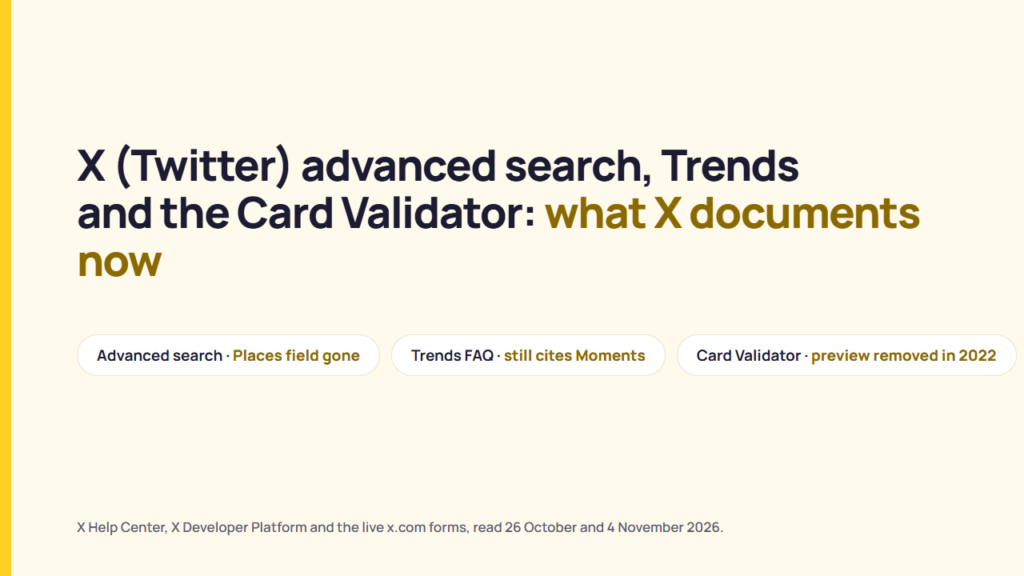
All three tools still exist, and their documentation no longer fully matches what X shows. X’s advanced search article lists a Places field that the form no longer has but leaves out the link and engagement filters that the form does have. X’s Trends FAQ explains how Trends are chosen and still mentions Moments. The Card Validator page still shows a “Preview card” button, although X said in 2022 that previews had moved to the post composer. The Cards developer guide is also no longer on X’s documentation site.
What X’s advanced search documents, and what the form shows
X’s Help Center article “How to use advanced search” says advanced search filters posts “by words, people, places, and dates” and is “available when logged in”.
The article gives four steps: enter a search on x.com, click Advanced search “underneath Search filters on the upper right of your results page, or click More options and then click Advanced search”, fill in the fields and click Search. The article also says you can “Search for posts from any date since the first public post.”
The form itself, at x.com/search-advanced, did not match the article when it was viewed on 2026-10-26 in a logged-in desktop session, and it was unchanged on 2026-11-04. The six field groups compare as follows:
| Field group | In the Help Center article | On the form, 2026-10-26 and 2026-11-04 |
|---|---|---|
| Words | All words, exact phrase, any of the words, excluding words, a hashtag and a language | The same five word fields. Language sits in its own group, with “Any language” and a list of languages. |
| People | Posts from an account, in reply to an account, mentioning an account | Labelled Accounts: “From these accounts”, “To these accounts”, “Mentioning these accounts” |
| Places | “posts sent from a geographic location, e.g. a specific city, state, country”, using a place dropdown | No place or location field |
| Filters | Not mentioned | Replies: “Include replies and original posts” or “Only show replies”. Links: “Include posts with links” or “Only show posts with links”. |
| Engagement | Not mentioned | “Minimum replies”, “Minimum Likes”, “Minimum reposts” |
| Dates | Before a date, after a date, or a range | From and To, each by month, day and year. The year list ran from 2006 to 2026. |
Sources: X Help Center, “How to use advanced search”; the advanced search form at x.com/search-advanced. Both read 2026-10-26 and 2026-11-04.
The recall search therefore works with the form’s available filters, even though the article does not describe them. Searching for posts containing the brand name within last week’s dates, with “Only show posts with links” selected, would identify posts that contain links. This is an inference from the form as viewed, not a tested search result. The form showed no way to limit results to one city. X’s separate “How to use X search” article documents a filter on search results that lets users choose “From anyone or People you follow, and Anywhere or Near you” on desktop and Android, and “All people or People you follow, and Everywhere or Near you” on iOS. Near you is the closest documented control to a location filter.
X also filters what search returns. The “About search rules and restrictions” page says X “filters search results for quality posts and accounts” and lists six behaviours to avoid:
- “Repeatedly post duplicate or near-duplicate content (links or posts).”
- “Abuse trending topics or hashtags (topic words with a # sign).”
- “Send automated posts or replies.”
- “Use bots or applications to post similar messages based on keywords.”
- “Post similar messages over multiple accounts.”
- “Aggressively follow and unfollow people.”
The same “About search rules and restrictions” page says an account “may be filtered from search if you are logged into a third-party application that is updating many accounts with similar or duplicate content”. It also says that a filtered account’s “followers will still receive your updates.”
Where X advanced search opens, and what the form writes into the search box
Three practical questions about X advanced search are answered by X’s pages and the form itself, though not in one place.
Where it opens. The address x.com/search-advanced, opened in a logged-in desktop browser on 2026-11-04, loaded the Explore page with the Advanced search dialog over it. The “How to use X search” article’s Desktop section gives the other route: click the Search filters options on a results page, where “you can select a different language or perform an Advanced search.”
Whether it exists in the apps. The advanced search article says the feature is available “when you’re logged in to x.com”. The same “How to use X search” article has separate iOS and Android sections, and neither names an advanced search form. Both describe the result tabs (Top, Latest, People, Photos, Videos and others), the filter icon for “People you follow” and “Near you”, and the safe search settings. The Android section ends with a note pointing readers to “our article about advanced search”. So X’s documentation places the form on x.com, and documents nothing about an advanced search form inside the apps. Whether the apps show one was not checked.
What the form writes. X’s Help Center publishes no list of search operators in the two search articles read here. The form, however, converts its fields into operators in the search box. A search submitted on 2026-11-04 with the exact phrase “product recall”, “Only show posts with links”, a minimum of 5 replies and a date range of 20 to 27 October 2026 produced this query in the search box:
"product recall" min_replies:5 until:2026-10-27 since:2026-10-20 filter:linksFour things follow from that one query, and only from it. The exact-phrase field becomes quoted text. The date fields become since: and until: in year-month-day form. “Minimum replies” becomes min_replies: with the number. “Only show posts with links” becomes filter:links. The other fields were left empty in this search, so what they write is not recorded here. The search returned no results, which says nothing about the operators; a week-old exact phrase with a reply floor is a narrow query. X does not document these operators, so their behaviour in other combinations, or typed by hand without the form, is not something X’s pages can confirm.
Why a search may return less than expected. X’s own pages give three documented reasons. The feature needs a logged-in session on x.com. Safe search, which the “How to use X search” article says is on by default and excludes “potentially sensitive content, along with accounts you have muted or blocked”, can be turned off in Search settings, and the Desktop section notes the change “may take several minutes to go into effect.” And the search rules page says accounts that show the six behaviours above “may be automatically removed” from search. None of these pages uses the phrase “not working”.
How X says Trends are chosen
X’s Trends FAQ says Trends “are determined by an algorithm and, by default, are tailored for you based on who you follow, your interests, and your location.”
The FAQ says the algorithm “identifies topics that are popular now, rather than topics that have been popular for a while or on a daily basis”. Post volume counts, but the FAQ says “The number of Posts that are related to the Trends is just one of the factors”. Related tags are grouped, so “#MondayMotivation and #MotivationMonday may both be represented by #MondayMotivation.” The FAQ defines the # sign as a hashtag included in posts “to mark them as relating to a topic”.
Location Trends are the untailored option. The FAQ says users can choose a Trends location on x.com, iOS or Android. If a city is missing, it says “we’re not receiving enough Posts from that geographical area to create a list.” On participation, the FAQ says to post “the exact word or phrase as it appears in the Trends list”. It also warns that “you may not always be able to find your particular Post in search, but your followers will always see your Posts.”
X’s FAQ names three kinds of Trend that X “may not allow or may temporarily prevent” from appearing:
- Trends that violate the X Rules.
- Trends that contain profanity or adult or graphic references.
- Trends that target the privacy of victims of serious crimes and of minors who are private figures.
The FAQ adds that when a term is kept out of Trends, conversations about it “will still be accessible on X”. It says X monitors Trends manually and adds context by attaching a representative post, adding a headline and description, or curating a landing page. Category labels such as “Politics” are “automatically selected” and some Trends show an approximate number of posts.
If the client’s brand name trends during the recall, the FAQ explains that X may keep a Trend off the list if it violates the X Rules, contains profanity or adult or graphic references, or targets the privacy of victims of serious crimes and private minors. The FAQ says conversations about a term kept out of Trends will still be accessible on X. This is an inference from the FAQ, not a statement from X about this specific scenario. Whether the client posts into that Trend is the client’s decision. What X documents about a note appearing on a brand post is covered in what X’s Community Notes process means for a brand post.
Two lines in the FAQ show its age, and both were still there on 2026-11-04. The answer about descriptions says a Moment’s title may be used as a Trend’s description. The answer about rules also refers to the “2020 US election”. The FAQ carries no revision date.
The Card Validator after the preview was removed
Twitter’s developer team, now X’s, announced on 2 August 2022 that it had “removed the preview functionality from the Card Validator” and said previews “are still available in the Tweet Composer”.
The announcement, posted on X’s developer forum, gives the replacement check: paste the link into a new post, and “there should be no need to post the Tweet, as the card preview will render automatically if the URL has appropriate card metadata.” The same post says the legacy validator “remains accessible for submitting brand new domains, and for using the logs”. It also says that “Cards data continues to be cached for up to 7 days before being refreshed”, and that the tool “can also be used to provide a ‘hint’ to the cards crawler to revisit your site, by adding a unique parameter to the URL”, with the caveat that “in many cases there may be a delay before new metadata is reflected”.
The validator page still loads. At cards-dev.x.com/validator, reviewed on 2026-10-26, it had the title “Card Validator | Twitter Developers”, asked you to “Type the URL to your card metadata” and showed a “Preview card” button. The old cards-dev.twitter.com address redirected there. This piece did not submit a URL, so what the button returns today is not recorded here.
The developer guide that explained cards has moved off X’s documentation site. The former “About X Cards” address on developer.x.com now redirects to the docs.x.com overview page, and the full text export of docs.x.com, read on the same day, contains no Cards markup page. The only Cards text remaining in X’s current documentation is the Developer Policy’s “X Cards” section, which requires HTTPS for card assets and bans misleading card content. Archived copies of the old guide, dated 31 December 2025 and 1 January 2026, still record eight rules:
| Rule | Archived wording |
|---|---|
| Card types | Four: Summary Card, Summary Card with Large Image, App Card and Player Card. |
| One card type per page | “If more than one Twitter card value exists on the page, the ‘last’ one in sequence will take priority.” |
| Open Graph fallback | The card processor “first checks for the Twitter-specific property, and if not present, falls back to the supported Open Graph property.” |
| Crawler | Respects robots.txt. The user agent is “Twitterbot”. |
| Cache | “Content is cached by Twitter for 7 days after a link to a page with card markup has been published in a Tweet.” |
| Where a card shows | Cards “only appear when a Tweet is either expanded in the timeline (on web) or viewed on the Tweet’s individual permalink page”, with limited exceptions. |
| Several links in one post | “Only one card may be shown in a Tweet.” Attached media takes precedence, then URLs are processed “in order of appearance in the Tweet, first to last”. |
| Size limits | The crawler has “a limit of 2 MB for page responses” and “will typically download up to 5MB images”. |
Sources: archived X developer pages “About X Cards”, “Getting started with Cards” and “Troubleshooting Cards” (Wayback Machine, 31 December 2025 and 1 January 2026), read 2026-10-26. These pages are no longer live.
For tomorrow’s statement, X’s own pages point to one check: paste the link into the composer and look at the card without posting. The validator’s logs can confirm that X recognises the card, and the archived guide says a published card can remain cached for seven days. This is an inference from the developer forum post and archived pages, not a statement from X about the specific link. Whether a post with a link is then shown to more people is a separate question from how its card looks. That question is read from the published ranking code in what X’s open For You code does with posts that carry a link.
Checking the three tools against a client task
Seven recall-week tasks map to X’s pages as follows:
| Task | What X’s pages say to rely on |
|---|---|
| 1. Find every post naming the client last week | Advanced search Words and Dates. The article says search reaches “any date since the first public post”. |
| 2. Find posts that link out to coverage | The form’s “Only show posts with links”, which the form writes as filter:links. The help article does not describe it. |
| 3. Find posts with a minimum number of replies | The form’s “Minimum replies”, written as min_replies:. The help article does not describe it. |
| 4. Find posts from one city | No place field on the form when read. The X search article documents “Near you” on results, on desktop and in both apps. |
| 5. Run the search from a phone | X documents the form for x.com only. The iOS and Android sections of the search article describe result tabs and filters, not the form. |
| 6. See whether the client is trending in one market | The Trends location setting. A missing city means too few posts from that area. |
| 7. Check tomorrow’s link card | Paste the link into the composer without posting. Use the validator for new domains and logs. |
X’s tools are described in the documentation, but their practical effectiveness was not tested. One search was run only to read the query it produced, and no URLs were submitted. The pages that describe the tools have not kept up with them. Checking that date applies just as much to a platform’s developer changelog.
What could not be confirmed
This reading cannot settle nine points:
- The advanced search form was viewed in two logged-in desktop sessions, nine days apart. X publishes no list of the form’s fields, so the form may differ by account, app or region.
- X does not document when the Places field left the form.
- X does not document the operators the form writes. They were read from one query on 2026-11-04; the fields left empty in that search, and hand-typed operators, are not covered.
- Whether the iOS or Android app shows an advanced search form was not checked. X’s app instructions do not mention one.
- X does not document when the Cards pages left its documentation site. The last archived copies reviewed are dated 31 December 2025 and 1 January 2026.
- No page reviewed explains why the validator still shows “Preview card” after the 2022 announcement, and the button was not pressed.
- X’s Trends FAQ carries no revision date.
- X’s automation rules were not read, so the search rules’ statement about automated posts is reported as written, without interpretation.
- The validator’s logs were not opened, so what they show for a given link is not recorded here.
FAQ
How do I use advanced search on X (Twitter)?
X’s Help Center says advanced search is available when you’re logged in to x.com. Run a search, then choose Advanced search under Search filters or under More options, or open x.com/search-advanced directly. The form viewed on 2026-10-26 and 2026-11-04 showed Words, Language, Accounts, Filters, Engagement and Dates.
Is X advanced search available in the mobile app?
X documents the form for x.com. The iOS and Android sections of X’s “How to use X search” article describe result tabs, a “Near you” filter and safe search settings, and neither mentions an advanced search form. The Android section points readers to the advanced search article instead. Whether the apps show the form was not tested.
Can I search X for posts from a specific location?
The Help Center article still lists a Places field, but the advanced search form viewed on 2026-10-26 and 2026-11-04 showed none. X’s search article documents a “Near you” filter on search results on desktop, iOS and Android.
What search operators does X advanced search use?
X’s Help Center does not publish a list. The form itself writes operators into the search box. One search on 2026-11-04 produced quoted text for the exact phrase, since: and until: for the dates, min_replies: for the reply floor and filter:links for the links filter. The remaining fields were not exercised.
Why is X advanced search returning fewer posts than expected?
X’s pages give three documented reasons: the feature requires a logged-in session on x.com; safe search is on by default and excludes potentially sensitive content and accounts you have muted or blocked; and X’s search rules say accounts showing certain behaviours, such as duplicate posting or automated replies, may be removed from search results. X does not publish a page about advanced search “not working”.
How does X decide what is trending?
X’s Trends FAQ says Trends are determined by an algorithm and tailored by default to who you follow, your interests and your location. The FAQ says the algorithm “identifies topics that are popular now, rather than topics that have been popular for a while or on a daily basis.”
Does the Twitter Card Validator still work?
The page still loads, but X said in August 2022 that it had removed the preview functionality. X says to preview a card by pasting the link into the post composer and keeps the validator available for submitting new domains and reading logs.
Sources
- X Help Center, “How to use advanced search“, read 2026-10-26 and 2026-11-04.
- X, advanced search form, x.com/search-advanced (logged in), read 2026-10-26; one query submitted 2026-11-04.
- X Help Center, “How to use X search“, iOS, Android and Desktop sections, read 2026-10-26 and 2026-11-04.
- X Help Center, “About search rules and restrictions“, read 2026-10-26 and 2026-11-04.
- X Help Center, “X Trends FAQ“, read 2026-10-26 and 2026-11-04.
- X Help Center, “X Moments guidelines and principles“, read 2026-10-28.
- X Developers forum, “Card Validator – preview removal“, 2 August 2022, read 2026-10-26 and 2026-11-04.
- X, “Card Validator“, read 2026-10-26.
- X Developer Platform, “overview” and “full documentation export“, read 2026-10-26.
- X Developer Policy, “X Cards” section, read 2026-10-26.
- X Developer Platform, “About X Cards“, Wayback Machine copy dated 1 January 2026, read 2026-10-26.
- X Developer Platform, “Getting started with Cards“, Wayback Machine copy dated 1 January 2026, read 2026-10-26.
- X Developer Platform, “Troubleshooting Cards“, Wayback Machine copy dated 31 December 2025, read 2026-10-26.