You are at the upload screen with a brand video. The backdrop was generated, or the voice-over was cloned, and the form wants a yes or no on AI use. This post reads YouTube’s help page for that moment, marks where the page says nothing, and sets it beside Meta’s published approach. Nothing here describes how the screen looks or behaves; the reading comes from the pages alone.
Two platforms, two places for the burden
YouTube puts a question to the uploader. Per its help page, “Disclosing use of GenAI content”, the ‘AI use’ setting sits in the Attributes section of YouTube Studio during upload, and the creator taps Yes if the content meets the disclosure requirements or No if not. The same page also says YouTube may label automatically, for content made with YouTube’s own GenAI tools, content that contains C2PA metadata, and content its internal systems detect as AI generated or altered. So the declaration is yours, but it is not the only route to a label.
Meta’s burden sits elsewhere. Its April 5, 2024 newsroom post, with updates dated July 1 and September 12, 2024, says “AI info” labels are added when Meta detects industry standard AI image indicators or when people disclose that they are uploading AI-generated content. The September update says content detected as only modified or edited by AI tools gets its label moved to the post’s menu, while content detected as generated by an AI tool keeps the visible label. Its February 2024 post adds that people would be required to use a disclosure tool for organic photorealistic video or realistic-sounding audio, with possible penalties. For the mechanism, see what Meta’s AI info label detects and leaves to you.
Both pages were read on 17 October 2026 and either can change, so check the live page. This obligation is also separate from paid-promotion disclosure.
What YouTube’s page says must be disclosed
The page opens with the test: “We require creators to disclose AI-generated or altered content that seems realistic.” It then lists four kinds of GenAI content that creators must disclose:
- Content that makes a real person appear to say or do something they didn’t do.
- Content that alters footage of a real event or place.
- Content that generates a realistic scene that didn’t actually occur.
- Content that creates music that’s the main focus of the video.
Its summary of the test is: “Realistic AI content and meaningful changes require disclosure, while non-realistic or minor edits don’t.” It also says plainly: “Keep in mind, this isn’t a complete list.”
Two of the page’s own disclose examples sit close to brand work. One is “AI generated extra footage of a real place, like a video of a surfer in Maui for a promotional travel video”. The other is “AI generated music”.
After a Yes, the page says YouTube adds a label to the video. For AI-generated music or photorealistic content, a label in the video player may also appear. For non-music AI-generated audio, or AI content that is non-photorealistic or animated, labels may appear in the expanded description.
What the page exempts, and the lines it draws
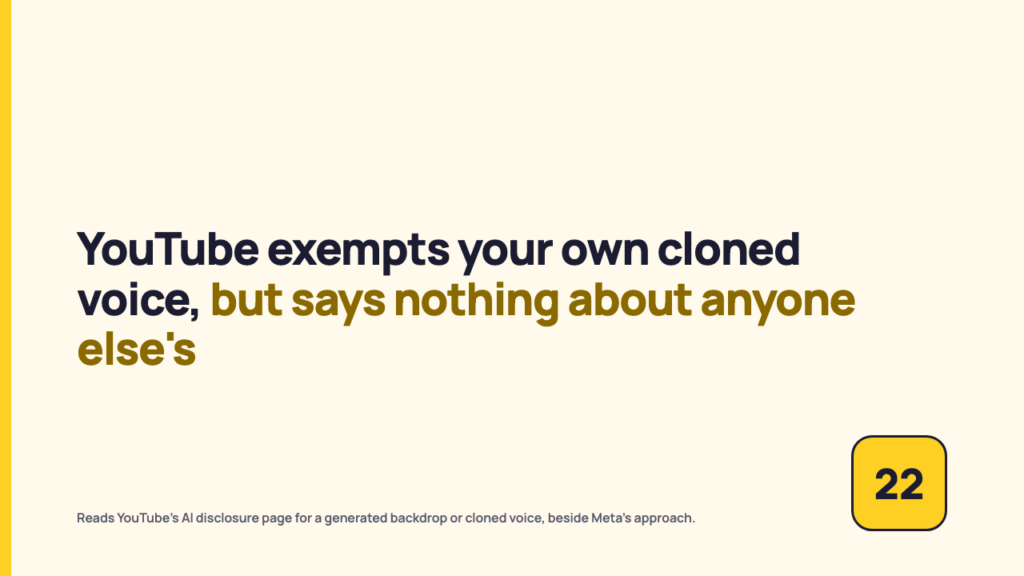
The page says creators “don’t need to disclose non-realistic content that’s made with AI, or edits to realistic content that are minor.” It defines minor this way: “Minor edits are ones that are primarily aesthetic, and don’t alter the content in a way that could mislead the viewer about what actually happened.” It groups its examples under two headings, “Not realistic” and “Minor”; the table splits the Minor items into sub-groups for readability, and those sub-group labels are mine, not the page’s. I counted 22 examples across the page’s two lists, 8 to disclose and 14 exempt. That is a count of lines on the page and not a ranking of risk, and the page itself says neither list is exhaustive.
| Page heading and grouping | Examples as the page words them |
|---|---|
| Not realistic | Someone riding a unicorn through a fantastical world. Green screen used to depict someone floating in space. Using an AI-generated or altered animation of a missile in a fully animated video. |
| Minor (appearance, grouped here for reading) | Applying beauty filters. Color adjustment or lighting filters. Special effects filters, like adding background blur or vintage effects. |
| Minor (production, grouped here for reading) | Production assistance, like using generative AI tools to create or improve a video outline, script, thumbnail, title, or infographic. Caption creation. Idea generation. |
| Minor (audio and footage, grouped here for reading) | Video sharpening, upscaling or repair and voice or audio repair. “Cloning one’s own voice to create voice overs or dubs”. Using effects to enhance previously recorded audio. Gameplay footage from video games. |
| Minor (backdrop, grouped here for reading) | “AI generating or extending a backdrop to simulate a moving car”. |
None of them turns on which tool was used. They turn on what the content does to a viewer’s picture of what happened. The tool could be the same for a car backdrop and a surfer in Maui, and the page treats them differently.
A reading exercise: the AI background and the cloned voice
This section is an invented scenario used to read the policy. It did not happen to a brand, and it is not a test of the upload screen.
An account manager has a brand video. The set behind the presenter was generated, and the voice-over was produced from a cloned voice.
The background. The page exempts a generated backdrop that simulates a moving car. It lists AI-generated extra footage of a real place as a disclose example. The question the reader has to answer is whether the background is a stand-in set, or whether it depicts a real place or event that a viewer could take as real. The page does not settle the middle cases, and this post does not infer an answer for them.
The voice. The page exempts “Cloning one’s own voice to create voice overs or dubs”. It requires disclosure for content that makes a real person appear to say or do something they didn’t do. A brand using a cloned voice of someone else, such as an employee, a spokesperson or hired talent, is not named on either list. The page does not clearly address it. The nearest text is the ‘real person appears to say or do something they didn’t’ category, and this post does not rule on whether it applies.
The page also states what follows from not disclosing: “Creators who consistently choose not to disclose this information may be subject to manual application of a label, or penalties from YouTube, including removal of content or suspension from the YouTube Partner Program.” Alongside it sits YouTube’s own note: “Disclosing AI content alone won’t limit a video’s audience or impact its eligibility to earn money.” Both are policy statements, not reports of outcomes.
When the label is not yours to remove
The page says a creator gets a notification in YouTube Studio if a label is applied automatically. If YouTube’s systems make an error, creators “will have the ability to change AI disclosure in most cases” by selecting No in the AI disclosure survey under Attributes. The exception: “content made with YouTube’s AI tools, content containing C2PA metadata, or content labeled after manual review can not be adjusted.”
For a shared asset, that has a practical edge. Metadata that travels with the file is a route to a label separate from the uploader’s own answer on the form. The page names C2PA metadata as a trigger and as a case the creator cannot adjust. It does not say how a file’s metadata fares before it reaches YouTube. For the provenance side, see what platforms say they keep of Content Credentials.
Where the rule began, and what a shared asset needs
YouTube’s announcement, “How we’re helping creators disclose altered or synthetic content”, is dated 18 March 2024. It introduced a tool in Creator Studio requiring disclosure of realistic altered or synthetic content, and said that “in the future we’ll look at enforcement measures for creators who consistently choose not to disclose this information.” The current help page is a separate document, and it now states the consequence: manual labelling, or penalties including removal or YPP suspension.
For one asset going to both platforms, the pages support this side-by-side:
| Question | YouTube help page | Meta newsroom posts |
|---|---|---|
| Who is asked | The uploader, through the ‘AI use’ setting under Attributes in YouTube Studio. | The February 2024 post says people would be required to use a disclosure tool for organic photorealistic video or realistic-sounding audio. Where the control sits is not stated in the posts read. |
| What counts | Realistic content that is generated or meaningfully altered. Non-realistic content and minor edits are exempt. The list is not exhaustive. | Labels follow industry standard AI indicators or self-disclosure. The September 2024 update moves the label to the post’s menu for content only modified or edited by AI tools. |
| If detected or skipped | Automatic label possible. Manual label or penalties, including removal or YPP suspension, for creators who consistently choose not to disclose. | Labels added when signals are detected. The February 2024 post says penalties may apply for failing to use the disclosure tool. Anything further is not stated in the posts read. |
This is about declaring AI use, not about the policy on mass-produced or repetitious content. That is covered in the post on inauthentic content.
What the pages do not tell you is just as useful. They do not say how the toggle behaves in practice, and they do not say how often labels are applied on either platform.
FAQ
Is cloning my own voice exempt?
The page’s exempt list includes “Cloning one’s own voice to create voice overs or dubs”. Cloning another person’s voice is not named on either list, and the ‘real person appears to say or do something they didn’t’ category is the nearest text.
Can YouTube label my video if I answer No?
Per the page, yes: automatic labels for content made with YouTube’s GenAI tools, content with C2PA metadata, or content its systems detect as AI generated or altered, plus manual labelling for creators who consistently don’t disclose. Some labels cannot be adjusted by the creator.
Sources
- YouTube Help: Disclosing use of GenAI content, fetched 2026-10-17 (HTTP 200)
- YouTube Blog: How we’re helping creators disclose altered or synthetic content, dated Mar 18, 2024, fetched 2026-10-17 (HTTP 200)
- Meta Newsroom: Our Approach to Labeling AI-Generated Content and Manipulated Media, April 5, 2024 with updates through September 12, 2024, fetched 2026-10-17 (HTTP 200)
- Meta Newsroom: Labeling AI-Generated Images on Facebook, Instagram and Threads, February 6, 2024, fetched 2026-10-17 (HTTP 200)