A freelance manager is cleaning up a client’s Pinterest profile after a campaign and clicks Delete on an outdated Pin. The Pin disappears from the profile. A different question is what Pinterest says is removed with it and what stays. The scenario is hypothetical.
This piece is a reading of six Pinterest help articles, its law-enforcement guidelines page and its Terms of Service, read on 2026-10-29. No account was used to test deletions, and no third-party tutorials were used.
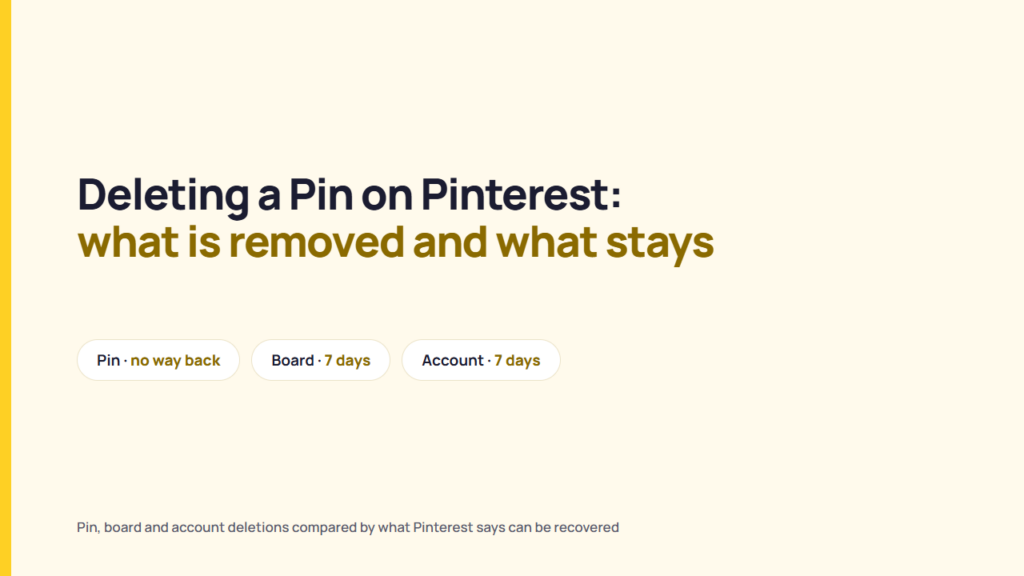
Pinterest’s “Edit or delete a Pin” article says a deleted Pin cannot be recovered. Its “Archive or delete a board” article says deleting a board also deletes every Pin on it, and that the board can be restored for seven days. Pinterest also says deleting a Pin does not delete other people’s saves of it, and its terms say copies shared with others may remain. Moving a Pin to another board is the alternative Pinterest documents.
How to delete a Pin and what it removes
Pinterest’s “Edit or delete a Pin” article covers the Pins a user has created and saved. In its words: “Once a Pin is deleted, it cannot be recovered.” The article gives the same six steps for the web and for the Android and iOS apps:
- Log in to Pinterest on the web or open the Pinterest app on Android or iOS.
- Click your profile picture at the top-right on the web, or tap it at the bottom-right in the app.
- Find the Pin you want to delete and open it.
- Click or tap the ellipsis icon, then select Edit Pin on the web, or tap the edit option in the app.
- Click Delete at the bottom-left on the web, or tap Delete this Pin or the trash can icon at the bottom of the screen in the app.
- Click or tap Delete to confirm.
The same article says a Pin’s image, video or audio cannot be edited once it is published. In its words: “Instead, you’ll need to create a new Pin.” In the opening scenario, a manager who deletes the outdated Pin cannot recover it to correct it later, and a corrected version means a new Pin. That is a reading of Pinterest’s stated limits, not a statement from Pinterest.
A Pin the client saved from another account behaves differently from one the client created. Pinterest’s law-enforcement guidelines page says “If you delete a Pin, it doesn’t delete other saves of that Pin from other people’s boards.” Removing a saved Pin from the client’s board therefore leaves the original creator’s Pin in place. That is a reading of the page, not a statement from Pinterest.
Deletion fits a Pin the client no longer wants anywhere on its profile. A Pin that is only on the wrong board has a documented alternative, covered in the two sections below.
Deleting a scheduled Pin
Pinterest’s Business Help article “Schedule Pins” covers Pins that business accounts set to publish later. It says “You can schedule a Pin up to 30 days in advance” and that “you can have up to 10 Pins scheduled for the future.”
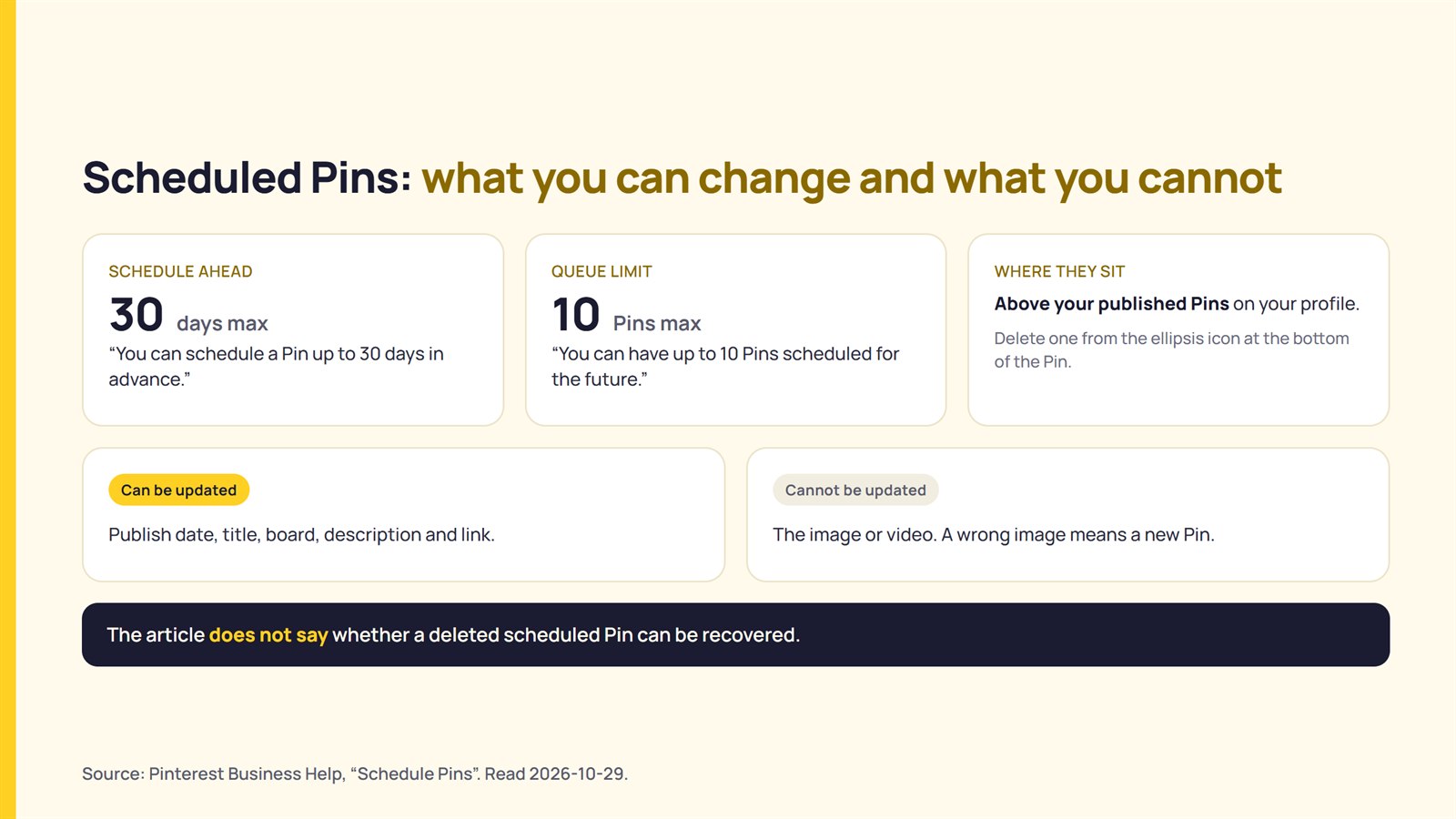
For deletion, the article says: “To delete Pins you’ve already scheduled, go to your profile. You’ll see your scheduled Pins above all of your published Pins.” It then says to click or tap the ellipsis icon at the bottom of the Pin and select Delete.
The article also says a scheduled Pin’s publish date, title, board, description and link can be updated, but not its image or video. A scheduled Pin with the wrong date or caption can therefore be edited, while a wrong image means deleting it and creating a new Pin. That is a reading of the article, not a statement from Pinterest. The article does not say whether a deleted scheduled Pin can be recovered.
Moving a Pin instead of deleting it
The “Edit or delete a Pin” article says that “Depending on the Pin, you may be able to edit a Pin’s title, details, description, board, section and comment settings.” Changing the board moves the Pin. Pinterest’s “Move Pins to another board” article gives two routes.
| Route | Web | App |
|---|---|---|
| One Pin | Open a board, click the edit icon on the Pin, choose the new board or section next to Board or Section, then click Save. | Open the Pin, tap the ellipsis icon, select Edit Pin, tap the current board name, choose the new board or section, then tap Done. |
| Several Pins | Open a board, click Organize at the top, select the Pins, click Move, then click Save next to the destination board. | Open a board, tap Organize, select the Pins, tap the arrow icon at the bottom of the screen, then choose the board or section. |
Sources: Pinterest Help, “Move Pins to another board”. Read 2026-10-29.
Pinterest’s law-enforcement guidelines page says boards “can be public or secret” and that “Only you and anyone you invite to a secret board can see the Pins you’ve saved to that secret board.” Moving a Pin to a secret board would therefore take it out of public view without deleting it. That is a reading of the two pages together, not a statement from Pinterest.
The Organize steps in the “Move Pins to another board” article cover moving Pins. None of the Pinterest pages read on 2026-10-29 give a step for deleting several Pins at once.
What deleting a board or an account does
The Pinterest pages reviewed describe five actions that remove or hide Pins. Deleting a single Pin is the only one with no documented way back.
| Action | What the page says | Recoverable? |
|---|---|---|
| Delete a Pin | “Once a Pin is deleted, it cannot be recovered.” (Edit or delete a Pin) | No. |
| Delete a board | “When you delete a board, all the Pins on the board are deleted, too.” (Archive or delete a board) | For seven days, in Recently deleted, on desktop or Android. For business accounts, the article says: “You can only restore a board on a desktop device.” |
| Archive a board | An archived board does not appear in the public profile, and Pins cannot be saved to it. It sits at the bottom of the profile. (Archive or delete a board) | Yes. The article says, “You can unarchive a board at any time.” |
| Delete an account | The public profile is “immediately deactivated” and “Your account and personal data are permanently deleted in 7 days.” Business accounts with outstanding bills must clear them first. (Delete or temporarily deactivate your account) | Reactivation is possible within the seven days. The article says California users need to contact Pinterest first. |
| Deactivate an account | “Your profile and boards will not be visible unless you reactivate your account.” The email address and username stay tied to the account. | Yes, by reactivating. The article warns: “Do not log in to check if your account is still active, as this will reactivate your account.” |
Sources: Pinterest Help articles “Edit or delete a Pin”, “Archive or delete a board”, “Delete or temporarily deactivate your account”. Read 2026-10-29. Full list under Sources.
Take a client’s seasonal board that holds 60 Pins. The scenario is hypothetical. A manager who deletes the board instead of moving or deleting the individual Pins deletes all 60, because Pinterest says all the Pins on a deleted board are deleted. The board restore window is seven days, and a business account can use it only on desktop. Pinterest’s “Missing Pins or boards” article repeats the two limits: “Deleted Pins cannot be recovered. Deleted boards can only be recovered for seven days after deletion.”
Board deletion fits a board the client is finished with. Pinterest’s “Archive or delete a board” article describes archiving for a board a client might “want to look at again someday”.
What stays after a deletion
Pinterest’s law-enforcement guidelines page says other people’s saves of a deleted Pin remain, and its terms say shared copies and backups may remain.
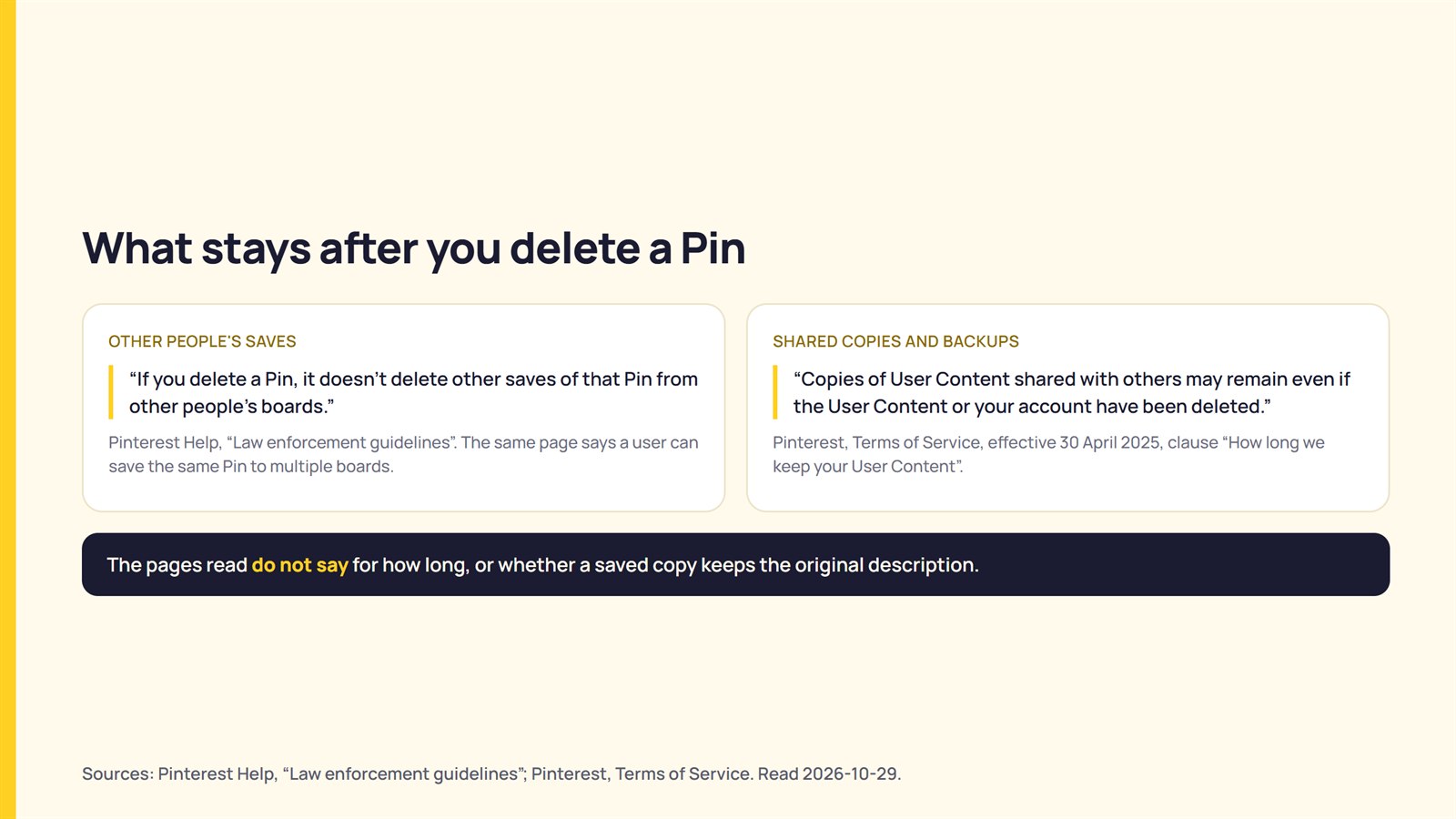
The law-enforcement page, a help article written for officials, says “If you delete a Pin, it doesn’t delete other saves of that Pin from other people’s boards.” The same page says a user can “save the same Pin to multiple boards”.
Pinterest’s Terms of Service, effective 30 April 2025, have a clause titled “How long we keep your User Content”. The clause says, “Following termination or deactivation of your account, or User Content removal from Pinterest, we may keep your User Content for a reasonable period of time for backup, archival, or audit purposes.” Pinterest’s plain-language line beneath it says, “Copies of User Content shared with others may remain even if the User Content or your account have been deleted.”
A Pin the client created and others saved can therefore remain on those people’s boards after the client deletes it. That is a reading of the law-enforcement page and the terms clause, not a statement from Pinterest. The pages read do not say for how long, or whether a saved copy keeps the original description. Facebook works differently in one case: Meta says a shared copy is removed from a story when the original post is deleted, as covered in who can share your Facebook post.
Checking a client’s Pins before you delete
These six questions clarify what a deletion would involve before anyone clicks Delete.
| Question | What the documentation says to look for |
|---|---|
| 1. Is it one Pin, a whole board or the account? | A Pin cannot be recovered. A board can be restored for seven days. An account is permanently deleted after seven days. |
| 2. Does the client want the Pin gone or only off the public profile? | Pinterest documents moving a Pin to another board, and says Pins on a secret board are visible only to the owner and people they invite. An archived board leaves the public profile and can be unarchived at any time. |
| 3. Has the client approved the deletion? | Pinterest says a deleted Pin cannot be recovered. The approval is a matter between you and the client. |
| 4. Has anyone else saved the Pin? | Pinterest says other people’s saves of the Pin stay after it is deleted. |
| 5. For a board, is the restore window enough? | Seven days, in Recently deleted, on desktop or Android. Business accounts restore on desktop only. |
| 6. Does the client know copies may remain? | Pinterest’s terms say copies shared with others may remain and that it may keep removed content for backup, archival or audit purposes. |
Pinterest documents one path with no way back, a single Pin, and two with a seven-day window, a board and an account. Whether to delete is a decision for the client.
What could not be confirmed
This reading cannot settle nine points:
- The help pages read document a bulk move through Organize, but no step for deleting several Pins at once.
- The “Schedule Pins” article does not say whether a deleted scheduled Pin can be recovered.
- The pages read do not say what happens to a deleted Pin’s analytics or Pin URL.
- The pages read do not say how long other people’s saves or backups remain, or whether a saved copy keeps the original description.
- Whether deleting a Pin from a group board differs by role was not read.
- The seven-day account deletion period may differ by region, and California users have a separate step.
- An updated Pinterest Terms of Service takes effect on 12 November 2026 and was not reviewed. The quoted clause comes from the version effective 30 April 2025.
- Search-engine caching of a deleted Pin was not tested.
- No account was used to test deletions.
FAQ
Can I recover a deleted Pin on Pinterest?
No. Pinterest’s “Edit or delete a Pin” article says, “Once a Pin is deleted, it cannot be recovered.” Deleted boards are different: they can be restored for seven days from Recently deleted, on desktop or Android, and on desktop only for business accounts.
Can I delete several Pins at once?
The Pinterest help pages read do not give a bulk delete step. Pinterest’s “Move Pins to another board” article documents selecting several Pins with Organize and moving them to another board.
How do I delete a scheduled Pin?
Pinterest’s “Schedule Pins” article says scheduled Pins appear on your profile above published Pins. Click or tap the ellipsis icon at the bottom of the scheduled Pin, then select Delete.
Does deleting my Pin delete other people’s saves of it?
No. Pinterest’s law-enforcement guidelines page says “If you delete a Pin, it doesn’t delete other saves of that Pin from other people’s boards.” Pinterest’s terms add that copies of User Content shared with others may remain even after the content or the account is deleted.
What happens to Pins when I delete a board?
Pinterest says, “When you delete a board, all the Pins on the board are deleted, too.” The article says the board can be restored for seven days in Recently deleted.
Should I archive a board instead of deleting it?
Pinterest describes archiving for a board you might “want to look at again someday”. The article says an archived board does not appear in the public profile, accepts no new Pins and can be unarchived at any time. The choice between the two is the client’s.
Sources
- Pinterest Help, “Edit or delete a Pin“, fetched 2026-10-29
- Pinterest Business Help, “Schedule Pins“, fetched 2026-10-29
- Pinterest Help, “Move Pins to another board“, fetched 2026-10-29
- Pinterest Help, “Archive or delete a board“, fetched 2026-10-29
- Pinterest Help, “Missing Pins or boards“, fetched 2026-10-29
- Pinterest Help, “Delete or temporarily deactivate your account“, fetched 2026-10-29
- Pinterest Help, “Law enforcement guidelines“, fetched 2026-10-29
- Pinterest, “Terms of Service” (effective April 30, 2025), fetched 2026-10-29