A brand sends a creator a request to run their post as a partnership ad, and the creator has to decide what they are agreeing to. The brief that arrives with it usually uses one loose word for the whole arrangement. Meta’s developer documentation uses several precise ones, and they grant different things.
What this post is, and what it is not
This is a reading of Meta’s published developer documentation, fetched on 17 November 2026. It is not a test of the approval screen. I did not see or test the screen a creator sees when they approve a request. The pages I read are Meta for Developers documentation for the Partnership Ads API, which describes the same permissions the apps expose. Meta’s consumer Help Center pages could not be retrieved as readable text during research, so nothing here is quoted from them.
The pages, with the “Updated” date Meta prints on each:
- Partnership Ads API overview: Nov 5, 2026
- Post level permissioning: Jun 30, 2026
- Account level permissioning: Jun 30, 2026
- Partnership ad codes: Jun 16, 2026
- Create Branded Content (the Facebook side): Jun 30, 2026
Documentation changes. If you are deciding something real, check the live pages and the live screen.
One team word, three documented mechanisms
Teams often call all of this “whitelisting”. That is team slang. The pages I fetched say “partnership ads” and “permissions”, and I will use Meta’s words from here on. Meta’s one line definition is that partnership ads let you “run Facebook and Instagram ads from a creator or other partner’s handle”. The overview adds that using the creator’s own handle lets the ads feature the creator’s voice.
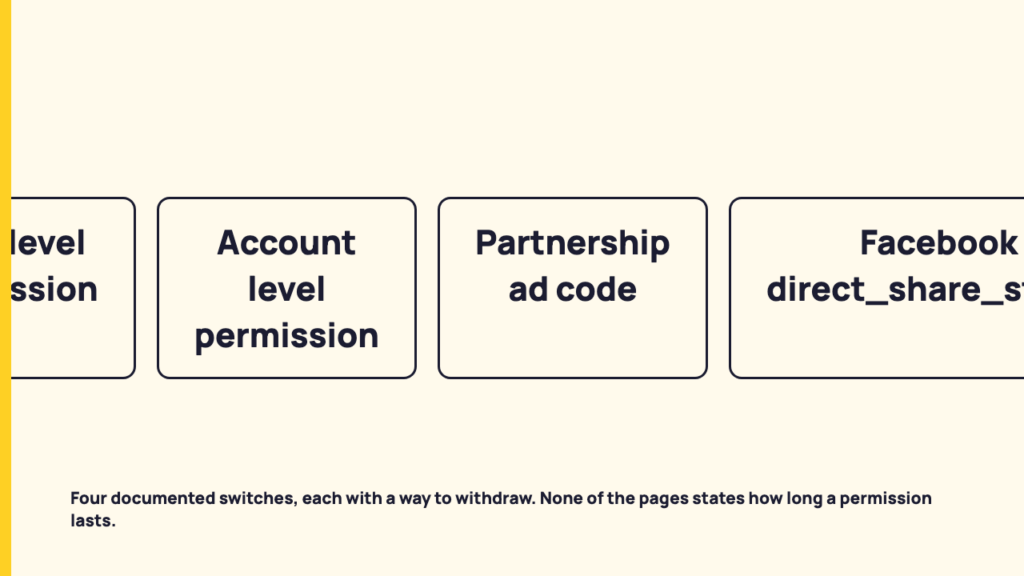
Behind that line sit three routes on Instagram, plus a separate switch on Facebook.
| Route | Who starts it | What it covers | Documented way to withdraw |
|---|---|---|---|
| Post level permissioning | The creator | One organic branded content post | Same call with permission set to false |
| Account level permissioning | The brand sends a request, the creator accepts in the Instagram app | The creator’s handle, plus existing posts that tag the brand | A revoke field set to true |
| Partnership ad code | The creator generates and shares a code | The content the code was created for | Deleting the code from that media |
| Facebook direct_share_status | The creator, on a branded content post | That Facebook post | Change the value from 1 to 0 |
On Facebook, the Create Branded Content page says that setting direct_share_status=1 grants a brand partner permission to boost a post, that setting it to 0 withholds permission, and that the value can be changed on an existing post. That is a fourth switch, on the Facebook side, and it is easy to forget when a campaign runs on both platforms.
Post level: one post, one yes
Meta’s post level page says this route lets creators give a brand permission to promote a given organic branded content post as a partnership ad. It also lets creators check who they have given permission to for that post.
The page shows the grant as a call that carries a permission value of true or false, a named business account, and a specific media ID. Because the same call takes either value, the mechanism that grants permission for that post is also the one that withdraws it.
Do not confuse this with the approved creator list on the same page. That list is the brand’s control over who may tag the brand in the paid partnership label. It is not the creator’s grant to run ads. For the label itself, see the paid partnership label and the FTC disclosure standard.
Account level: the broader grant
This is the route where the creator accepts more than a single post. Meta’s account level page says that when a creator accepts an account level permission request in the Instagram app, the brand can do three things:
- Create partnership ads from the creator’s handle without a pre-existing post.
- Create partnership ads from any of the creator’s existing posts that tag the brand. The page lists the ways of tagging: the paid partnership label, an @ mention, people tags, product tags, or Instagram Collabs. The last four are marked Instagram only.
- Include or exclude the creator’s audience in the partnership ad campaign.
In return, the page says the creator can tag the brand partner in the paid partnership label when making branded content posts.
On the brand side, the documented mechanics are these. An app can send a request by the creator’s Instagram username or ID. The app needs a user who holds one of the roles ADS, CREATOR_MANAGEMENT or CREATOR_CONTENT on the Instagram business account. If you are the person running a brand account, what each Instagram account type documents is worth a look first, since these permissions refer to Instagram business accounts.
The same page shows a permission_status field. The example value is APPROVED, and the page’s comment names REVOKED and PENDING as other possibilities. A brand’s app can list existing permissions for a partner, including ones still pending. So a request can sit in a state the creator has not yet answered, and the brand can see it.
Ad codes: the creator hands over a key to one piece of content
The code route reverses the direction. The creator generates a unique code and shares it, and the partner uses it to boost content into partnership ads that feature both accounts in the header. Meta’s page says this includes archived content and hidden Collab posts.
Meta lists the consequences from the creator’s side. If the post, story or reel is branded content, the brand partner is tagged as the paid partner and replaces any existing paid partner. The ad does not display as an ad on the creator’s profile, but it may appear as posted from the creator’s account instead of the partner’s if viewers are more likely to respond to it. And the ad is listed in the Meta Ad Library, which the page describes as a public database of ads running across Meta technologies.
The page also documents deleting an ad code from media. It notes that content previously boosted as an ad can no longer be edited, but can be boosted again. So deleting a code and having edit access back are two separate matters.
What the documentation does not say
I searched the text of all five fetched pages for wording about expiry, duration, validity and days, and found none in the sections that cover these permissions. These are gaps in what I read. They are not claims about how the products behave.
- Duration. None of the pages states an expiry or duration for a partnership ad permission. The pages are silent. That does not mean no duration exists. A reader who needs the answer should check the live approval screen or ask Meta support.
- Revocation. The pages describe revocation for account level permissions (a revoke field set to true, in a call made from the brand’s side of the API) and for per post grants (permission set to false, in a call made with the creator’s access token). They do not describe what happens to an ad that is already running when a permission is revoked. That is unanswered here.
- Persistence and wording. I do not say how long data or audiences persist, and I do not describe what the creator’s screen says, because I did not read or see it.
What a brief should say, as a recommendation
This section is my recommendation. It is derived only from the documented permissions above, and it is not a Meta finding.
A brief that names the mechanism leaves less to assume. Picture a short paragraph in the brief that reads like this:
Route: account level permission, requested through the Instagram app. Scope: ads may be made from the creator’s existing posts that tag the brand, and from the creator’s handle without a post. Audience: the creator’s audience is excluded from the campaign. Withdrawal: the creator can ask us to stop at any time, and we will stop using the permission and revoke it on request. Duration: this permission runs until [date agreed between us].
What that example does, and what to adapt:
- It names the route: single post, account level, or ad code. For a single post, it names the post. For account level, it says which posts are in scope.
- It says whether the creator’s audience is included or excluded, since Meta’s account level page lists that as a choice.
- It says who can revoke and how, and that the brand will stop using the permission on request, since Meta documents revocation as available.
- It states a duration out loud, because Meta’s pages do not set one. Both sides agree the length and write it down. I am not suggesting a number.
Rates, usage fees and contract terms belong to a different conversation and are not covered here.
Where to go next
If you only read one thing before approving a request, read the route name. The three routes grant different things, and the word in the brief rarely says which one is meant. Our post on the paid partnership label covers the neighbouring subject of tagging, and the account types post above covers the Instagram side.
FAQ
Does a partnership ad run on the creator’s profile?
Per Meta’s ad code page, the ad is not visible on the creator’s profile as an ad, though it may appear as posted from the creator’s account instead of the partner’s if viewers are more likely to respond. The same page says the ad is listed in the Meta Ad Library.
Can a creator take the permission back?
By the documented mechanisms, yes: account level permissions have a revoke action, post level grants carry a permission value of true or false, ad codes can be deleted from media, and the Facebook flag can be set from 1 to 0. The fetched pages do not say what happens to an ad that is already running. Nor do they state how long a permission lasts, so a duration is something to settle in the brief and check on the live screen.
Sources
- Partnership Ads API, Meta for Developers (Updated Nov 5, 2026; fetched 17 November 2026)
- Post-level permissioning, Meta for Developers (Updated Jun 30, 2026; fetched 17 November 2026)
- Account-level permissioning, Meta for Developers (Updated Jun 30, 2026; fetched 17 November 2026)
- Partnership ad codes, Meta for Developers (Updated Jun 16, 2026; fetched 17 November 2026)
- Create Branded Content, Meta for Developers (Updated Jun 30, 2026; fetched 17 November 2026)