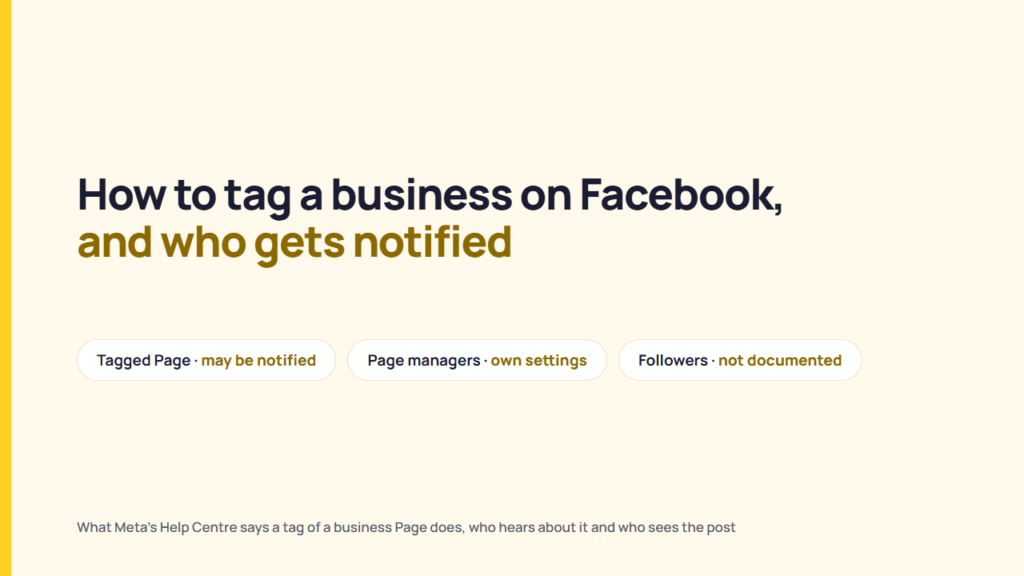
To tag a business on Facebook, type “@” followed by the business Page’s name in a post or comment, then select the Page from the list that appears. Meta’s Help Centre says the mention creates a link to the Page, that the Page “may get a notification”, and that the post may appear on the Page’s timeline.
A freelance manager is writing a post on a client’s bakery Page and tags the flour mill that supplies it. The client then asks two questions: who at the mill will hear about the post, and will the mill’s followers hear about it too? The scenario is hypothetical.
This article reads fourteen Facebook Help Centre pages on tagging, mentions and Page settings, read on 2026-10-30. No account was used to test tags, and no third-party tutorials were used. The pages answer the first question in part. They do not say whether a tagged Page’s followers are notified.
How to tag a business on Facebook
Meta documents three ways to tag a business Page: a mention in a post or comment, a tag in a photo, and a tag added from your own Page. The steps below follow Meta’s computer-view instructions.
Tag a business in a post or comment
Meta’s article “How do I mention people, Pages or groups in a post or comment on Facebook?” gives two steps:
- Type “@” and then the Page’s name.
- Select the name from the list that appears.
The same article warns that “depending on a Page’s settings, you may not be able to mention it.”
Tag a business in a photo
Meta’s “Tag people or Pages in photos on Facebook” article says “You can tag people or Pages in photos you share on Facebook”. To tag a business in a photo that is already posted:
- Click the photo.
- Click Tag in the top right of the photo.
- Click the spot in the photo and start typing the business’s name.
- Select the full name of the Page when it appears.
- Click Done tagging.
A photo can be tagged before it is posted too. Meta’s steps start from Photo/Video at the top of your Feed, then Edit and Tag photo, then Save before you choose the audience and post. A photo can carry tags for “up to 50 people or Pages”, and a tag “may need to be approved by the person you tagged or the person who posted the photo”.
Tag a business from your own business Page
Meta’s article “Tag other Facebook Pages or profiles in your Page’s photos or posts” sets the condition first: “You can tag other Pages in your Page’s photos if the Page has allowed others to tag it.” The steps are:
- Click your profile photo in the top right, click See all profiles, and switch into your Page.
- Go to your Page and click the photo you want to tag.
- Click Tag photo in the top right of the photo.
- Click the spot in the photo, begin typing the other Page’s name, and select it from the list.
- Click Done tagging.
The article adds, “You’ll need Facebook access to a Page to tag other people or Pages in your Page’s photos.” The pages were read in the computer view, and the mobile app steps were not followed.
What tagging a business Page creates
Meta’s mention article says “When you mention a person, Page or group in a post or comment, a link is created.” The link has its own audience: “The audience for the link that’s created depends on the privacy settings of the person, Page or group that you mention.”
For the bakery, mentioning the flour mill’s Page creates a link to that mill’s Page. Whether the bakery can mention it depends on the mill’s Page settings. A mention fits a business that appears in the post or is part of its subject. A mention does not fit a Page that has stopped others from tagging it; Meta says the mention may not be possible.
A regular tag is also different from a branded content tag. Meta’s branded content article says a disclosed sponsored post is marked with the sponsor’s Page name in the post and “paid partnership” below the post title. The disclosure rules behind that label are covered in a separate article on how the paid partnership label compares with disclosure rules.
Does a business get notified when you tag it on Facebook?
Meta’s Help pages use different wording for notifications to tagged people and mentioned Pages. The pages read on 2026-10-30 do not say whether a tagged Page’s followers are notified. The table sets out what those pages say about six parties a client may ask about.
| Who | What the pages read say | Source |
|---|---|---|
| The mentioned Page | “may get a notification, and the post or comment may appear on their timeline.” | How do I mention people, Pages or groups in a post or comment on Facebook? |
| A tagged person | “When you tag someone, they’ll be notified.” A second page says: “Depending on your settings, you’ll receive a notification when someone tags you.” | What is tagging on Facebook and how does it work?; Who can tag you and how to know if someone tags you on Facebook |
| A person tagged in a Page’s photo | “The profile will be notified of the tag” and can accept or reject it. | Tag other Facebook Pages or profiles in your Page’s photos or posts |
| People who manage the tagged Page | One manager’s notification settings for a Page do not change another’s: “the notification settings of others who help manage the Page won’t be affected.” | Change your Facebook Page notification settings |
| Followers of the tagged Page | Follower notifications are not described in the pages read. | None |
| The poster’s own audience | No notification is described. The tagged post stays visible to “The audience you chose for the post or photo”. | Who can see tags that people add to your Facebook posts |
Sources: Facebook Help Centre articles named in the table. Read 2026-10-30. Full list under Sources.
Meta says each manager’s Page notification settings are independent. The client therefore cannot assume a particular person at the flour mill saw the mention. That is a reading of the documentation, not a statement from Meta. The pages read do not answer the client’s other question: whether the mill’s followers were notified.
Who can see the post after you tag a business
Meta’s Help Centre says a tag can widen a post’s audience to include the person tagged and their friends. The article “When you tag someone in a post or photo, who can see it” says “When you tag someone, that photo or post may be shared with both the person tagged and their friends.”
Meta’s example on that page is a photo shared with friends: tagging a friend in it expands the audience “to Friends (+)”. The same page says “The audience also expands to Friends (+) when others tag your post or photo.” Meta’s “Who can see tags that people add to your Facebook posts” article lists two groups who can see an added tag: “The audience you chose for the post or photo” and “The person tagged in the post and their friends”.
The person publishing the post can stop the expansion. Meta’s tag-visibility article says to open the audience selector next to the post, select Custom, “and untick the Friends of tagged box.” Meta’s minors and tagging article states that “Anyone who can see a post may be able to add tags to it.”
Every expansion page read describes a person and “their friends”. A Facebook Page has followers rather than friends, and none of the pages read says whether tagging a Page adds that Page’s followers to a post’s audience. Take a customer who tags the bakery’s Page in a Friends-only photo: the photo stays visible to the audience the customer chose, and whether the bakery’s followers can see it is not documented.
The limit that a post’s audience places on sharing is a separate rule, covered in a separate article on who can share your Facebook post.
How a business controls tags of its Page
Meta’s article “Manage how others can tag or mention your Facebook Page” places the controls in the Page’s Settings & privacy, then Settings, then Page and tagging. The article describes these controls for people who have “Facebook access to the Page with full control”.
The article lists two kinds of control:
- A visibility setting, “Who can see posts you’re tagged in on your Page?”, with the choice of Everyone or Only me.
- Two review toggles below Reviewing: “Reviewing posts that you’re tagged in before the posts appear on your Page” and “Reviewing tags that others add to your posts before the tags appear on Facebook”.
Meta’s “Manage tagging for your Facebook Page” article says the settings sit “under the Tagging and Reviewing sections”. Two other Help Centre pages read say a Page’s settings can stop others from tagging or mentioning it. However, the article titled “Manage how others can tag or mention your Facebook Page” does not show a step for turning tagging off.
Meta documents tag removal on two sides. A business can remove a tag from its own Page’s photos: the Page tagging article says to open the photo, click Tag photo, click the tag, then click X on the tag to remove it. For a tag on someone else’s post, Meta’s remove-a-tag article is written for a person rather than a Page, and says “That tag will no longer appear on the post or photo, but that post or photo is still visible to the audience it’s shared with.”
For a client who wants to review posts that tag its Page before they show on the Page, the Reviewing toggle is the relevant setting. The review setting controls what appears on the client’s Page. The pages read do not say it removes the original post from Facebook.
What changes when a Page does the tagging
A Page can tag another Page in its photos only when the other Page allows it. A Page tagging a person faces two further conditions in the same article: “You can tag people in your Page’s photos if they’ve liked your Page and are at least 18 years old.”
The tagged person can accept, in which case the person “may share it to their timeline (depending on the profile’s Timeline review settings)”, or reject, in which case “the post will not be shared to the profile’s timeline.”
When the bakery Page tags a customer in an event photo, the customer must have liked the bakery’s Page and be at least 18, and the customer can still reject the tag.
Checking a tag before a client’s post goes out
The following six questions sort a tag before the post is published. They apply whether the post goes out live or is queued with a tool to schedule Facebook posts in advance.
| Question | What the documentation says to look for |
|---|---|
| 1. Is it a text mention or a photo tag? | Meta documents “@” mentions in posts and comments and photo tags on separate pages. Photos allow up to 50 tags. |
| 2. Does the business’s Page allow tags or mentions? | Meta says that depending on a Page’s settings, the mention may not be possible. |
| 3. Who will the tag add to the audience? | For a person, Meta says the post may be shared with the person tagged and their friends. The pages read do not say whether tagging a Page adds its followers. |
| 4. Is the client’s Page tagging a person? | Meta says the person must have liked the Page and be at least 18, and can reject the tag. |
| 5. Does the client expect the business’s followers to hear about it? | Meta says the mentioned Page “may get a notification”. Follower notification is not documented. |
| 6. Is the post paid for? | Meta treats sponsored, disclosed content as branded content with a “paid partnership” label, which is different from a regular tag. Whether a paid post then shows up in Meta’s public Ad Library is a separate question, read in its own post. |
Meta documents a link, a possible notification to the tagged Page and possible audience expansion. Whether to tag a business in a post is a decision for the client. Facebook’s @everyone mention in groups works differently and is covered in a separate article on how @everyone works in Facebook groups.
What could not be confirmed
This reading of Meta’s Help Centre cannot settle nine points:
- The pages read do not say whether a tagged Page’s followers are notified.
- The pages read do not say whether a tag adds a Page’s followers to the post’s audience.
- The step that stops others from tagging or mentioning a Page is not shown in the pages read.
- Steps for a Page to remove its own tag from another account’s post were not found; the remove-a-tag article read covers personal profiles.
- The pages read do not say which of a tagged Page’s managers get the notification by default.
- One Meta page says of a tagged person that “they’ll be notified” and another says a mentioned Page “may get a notification”; the pages do not explain the difference.
- The 50-tag limit appears on the photo tagging page; the pages read do not say whether it applies to text mentions.
- The pages were read in the computer view; mobile app steps were not followed.
- Meta’s Help pages carry no revision dates, so the read date is the only dating, and no account was used to test tags.
FAQ
How do you tag a business in a Facebook post?
Type “@” and then the business Page’s name in the post, then select the Page from the list that appears. Meta says that depending on a Page’s settings, you may not be able to mention it.
Can you tag a business in a Facebook comment?
Yes. Meta’s mention article covers posts and comments with the same two steps: type “@” and the Page’s name, then select it from the list.
Does a business get notified when I tag it on Facebook?
Meta’s Help Centre says a mentioned Page “may get a notification”, and the post may appear on its timeline. Meta also says that one manager’s Page notification settings do not affect those of other managers. The pages read do not specify which managers receive a notification when the Page is mentioned.
Are a Page’s followers notified when it is tagged?
The Help Centre pages read do not say whether followers are notified. Meta’s audience-expansion pages describe the person tagged and their friends; they do not explain whether tagging a Page adds its followers to the audience.
Why can’t I tag a business on Facebook?
Meta says that “depending on a Page’s settings, you may not be able to mention it”. For tagging another Page in your Page’s photos, Meta says the other Page must have allowed others to tag it.
Can a business Page tag another business?
Yes, in its photos, if the other Page has allowed others to tag it. Meta’s steps are to switch into your Page, open the photo, click Tag photo and select the other Page’s name.
Can a business stop posts it is tagged in from showing on its Page?
Meta’s Page and tagging settings let someone with Facebook access to the Page with full control choose Everyone or Only me for posts the Page is tagged in. The settings also include separate review toggles for tagged posts appearing on the Page and tags added to the Page’s own posts.
Can you tag a business in a Facebook Story?
The fourteen Help Centre pages read for this article do not cover tags or mentions in Facebook Stories. Searches of the Facebook Help Centre on 2026-11-03 for “mention in story” and “tag people in your story” returned Story articles on stickers, text, polls, locations and audiences, but no article describing how to tag or mention a business Page in a Story, so this article gives no steps for it.
Sources
Publisher, page title, URL, read on 2026-10-30 (English locale).
- Meta, Facebook Help Centre, “How do I mention people, Pages or groups in a post or comment on Facebook?“, read 2026-10-30
- Meta, Facebook Help Centre, “What is tagging on Facebook and how does it work?“, read 2026-10-30
- Meta, Facebook Help Centre, “Tag people or Pages in photos on Facebook“, read 2026-10-30
- Meta, Facebook Help Centre, “Tag other Facebook Pages or profiles in your Page’s photos or posts“, read 2026-10-30
- Meta, Facebook Help Centre, “Manage how others can tag or mention your Facebook Page“, read 2026-10-30
- Meta, Facebook Help Centre, “Manage tagging for your Facebook Page“, read 2026-10-30
- Meta, Facebook Help Centre, “When you tag someone in a post or photo, who can see it“, read 2026-10-30
- Meta, Facebook Help Centre, “Who can see tags that people add to your Facebook posts“, read 2026-10-30
- Meta, Facebook Help Centre, “Review tags that people add to your Facebook posts“, read 2026-10-30
- Meta, Facebook Help Centre, “Who can tag you and how to know if someone tags you on Facebook“, read 2026-10-30
- Meta, Facebook Help Centre, “Remove a tag from a photo or post that you’re tagged in on Facebook“, read 2026-10-30
- Meta, Facebook Help Centre, “Minors and tagging on Facebook“, read 2026-10-30
- Meta, Facebook Help Centre, “Change your Facebook Page notification settings“, read 2026-10-30
- Meta, Facebook Help Centre, “What is branded content on Facebook and how do I know if someone is sharing a promotional message?“, read 2026-10-30