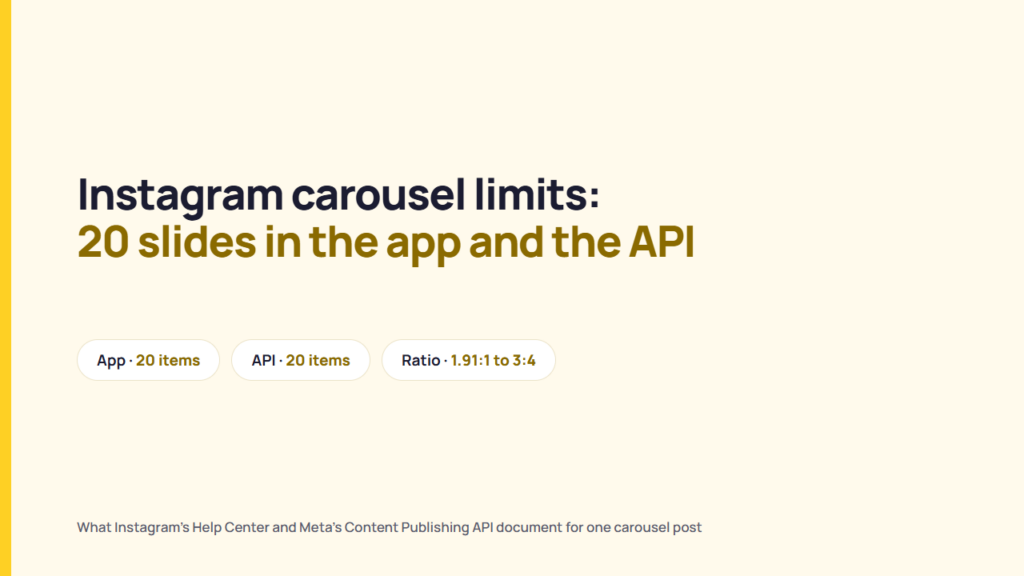
An Instagram carousel can hold up to 20 photos and videos in one feed post. Instagram’s Help Center gives that figure for the app. Meta’s Content Publishing API documentation gives the same figure for carousels published by scheduling tools and other apps. The older limit of 10 still shows up in guides written before 2024, and in some tools that set their own, lower cap.
This guide covers every carousel limit Instagram documents: how many items a carousel holds, what size and shape each slide can be, what the slides share, what you can edit after posting and how the API rules differ from the app. Every figure comes from Instagram’s Help Center or Meta’s developer documentation, read on 30 October 2026.
Instagram carousel limits at a glance
| Limit | What Instagram documents |
|---|---|
| Items per carousel | Up to 20 photos and videos, in the app and through the API |
| Mixing photos and videos | Allowed. The API’s wording is “a mix of the two” |
| Photo width | Uploaded at up to 1080 pixels wide |
| Supported aspect ratios | From 1.91:1 (landscape) to 3:4 (portrait), so 1080 × 566 to 1080 × 1440 pixels |
| Orientation | One orientation for every slide in the post |
| Captions | One caption for the post. The iPhone app also offers a caption for each item |
| Music | Can be added to photo carousels but not to carousels that contain a video |
| Editing after posting | Reorder or remove items and edit the caption, location and tags. New items cannot be added |
| Videos in a carousel | Not treated as Reels and do not appear in the Reels tab |
| Posts per 24 hours (API) | 100 API-published posts. Each carousel counts as one post |
How many photos can you put in an Instagram carousel?
You can put up to 20 photos and videos in one Instagram carousel. Instagram’s Help Center article “Share a post with multiple photos or videos on Instagram” says you can share “up to 20 photos and videos as a single post”. The same 20 applies whether the carousel holds only photos, only videos or a mix of both.
To post a carousel on a computer, click Create, click Post, then Select from computer, choose multiple files and select up to 20. On iPhone, tap Create, tap POST, tap SELECT MULTIPLE and select up to 20 photos and videos from your library. Instagram warns that posts with several videos “may take longer to upload”, so use a reliable connection.
Why you can only add 10 photos
Instagram raised the limit from 10 to 20 in August 2024 and rolled it out gradually. Some users kept the old limit for a while, according to coverage at the time. If you still see 10 today, there are two likely reasons:
- An old version of the app. Update Instagram from the App Store or Google Play and try again.
- A third-party tool with its own cap. Scheduling and design apps choose how many items they accept. Meta’s API allows 20, so a lower figure is the tool’s limit, not Instagram’s.
Instagram carousel size and aspect ratio
Instagram’s Help Center article “Image resolution of photos you share on Instagram” says photos are shared at up to 1080 pixels wide. Photos keep their original resolution when the aspect ratio is between 1.91:1 and 3:4, which the article describes as a width of 1080 pixels and a height between 566 and 1440 pixels. Instagram crops a photo with an unsupported ratio. It enlarges a photo narrower than 320 pixels and shrinks one wider than 1080.
| Shape | Ratio | Size at 1080 px wide |
|---|---|---|
| Tallest portrait | 3:4 | 1080 × 1440 |
| Portrait | 4:5 | 1080 × 1350 |
| Square | 1:1 | 1080 × 1080 |
| Widest landscape | 1.91:1 | 1080 × 566 |
The 3:4 and 1.91:1 rows are the limits Instagram’s article states. The 4:5 and 1:1 rows are common ratios that fall within that range.
For a seamless or panorama carousel, where one image runs across several slides, the canvas width is arithmetic from the 1080-pixel figure, not an Instagram rule: multiply the number of slides by 1080 pixels. Ten 4:5 slides make a 10,800 × 1350 pixel canvas, cut into ten 1080 × 1350 slides; three square slides make 3240 × 1080.
For a carousel, the shape matters more than for a single photo, because every slide uses the same orientation. The Help Center article says the orientation you choose “affects all of the photos or videos in your post” and that you can’t pick a different one for each item. Design all slides at one size. A 3:4 portrait slide next to a 1:1 square slide will be cropped to match. Stories handle the space around a photo differently from feed posts; what Instagram’s help pages say about Story backgrounds covers that separately.
What every slide in a carousel shares
Some carousel settings apply to the whole post and some apply to each item. Instagram’s carousel article describes seven:
| Setting | Applies to | What Instagram’s article says |
|---|---|---|
| Orientation | Whole post | Square, portrait or landscape, the same for every item |
| Filters | Either | One filter for every item, or edit and filter each item individually |
| Caption | Depends on device | iPhone: “Single caption” or “Multiple captions” (one per item). Computer: one caption for the post |
| Location | Whole post | One location per post |
| People tags | Each item | Tag someone in each individual photo |
| Likes and comments | Whole post | They appear on the entire post, not on individual slides |
| Videos | Each item | Carousel videos “are not considered reels” and do not show in the Reels tab |
Two of these trip up a lot of posts. First, because carousel videos are not Reels, a video placed in a carousel does not get Reels distribution or Reels features. Second, Instagram’s article “Add music to a post with multiple photos on Instagram” says “Music cannot be added to carousels with videos.” If a client wants a soundtrack, the carousel has to be photos only.
Can you edit an Instagram carousel after posting?
Yes, partly. Instagram’s article says that after sharing a carousel you can reorder the content, remove photos or videos and edit the caption or captions, the location and the accounts you’ve tagged. Open the three-dot menu on the post, select Edit, long-press to reorder, then select Done.
You cannot add a slide after posting. The article says you “can’t add new photos or videos” once the carousel is shared, though you can delete the post. Instagram documents no way to replace a slide’s file either. If a client asks for one more slide the day after launch, the choice is between leaving the carousel as it is and deleting it and posting it again. Confirm every slide is final before you post.
Instagram carousel limits in the API
Scheduling tools and other apps publish carousels through Meta’s Content Publishing API. Meta’s guide for it says “Carousels are limited to 20 images, videos, or a mix of the two”, the same ceiling as the app. The guide covers Instagram professional accounts only, meaning accounts set to Business or Creator. (See what Instagram documents for Business, Creator and personal accounts.)
The item limit matches, but other rules differ:
| Limit | Instagram app | Content Publishing API |
|---|---|---|
| Items per carousel | Up to 20 photos and videos | Up to 20 images, videos or a mix |
| Crop | One orientation you choose for every item | Every image cropped to the first image, 1:1 by default |
| Captions | One per post, or one per item on iPhone | One caption on the carousel. Not supported on individual items |
| Filters | Whole post or per item | “Filters are not supported.” |
| Image format | Not stated | “JPEG is the only image format supported.” |
| Reels | Carousel videos are not Reels | Reels cannot appear in carousels |
| Alt text | Not covered | Supported on images, including images inside a carousel |
| AI-generated label | Not covered in the carousel article | Set on the carousel container. Setting it on individual items returns an error |
| Posts per 24 hours | Not stated | 100 API-published posts in a moving 24-hour window. A carousel counts as one post |
| Containers | Not applicable | Containers expire after 24 hours. Up to 400 can be created in a rolling 24 hours |
Sources: Meta for Developers, “Content Publishing” and the “IG User Media” reference, and Instagram’s Help Center carousel article.
As a result, a carousel published through a scheduling tool can look different from one posted in the app. There are no filters and no per-slide captions, PNG files have to be converted to JPEG, and every image takes the shape of the first one. Make the first slide the shape you want the whole carousel to be.
The daily cap needs care. Meta’s guide gives 100 posts per 24 hours in its Rate Limit section, but its carousel Limitations section still says 50 and does not explain the difference. Agencies that publish heavily to one account through the API should plan around the lower figure.
Meta’s Instagram Platform changelog dates carousel publishing through the API to 15 March 2022. On 20 October 2026, the changelog had no entry dating the move from 10 to 20. Checking a limit against the changelog before trusting an older guide is a habit worth keeping; read the changelog before it breaks your report explains why.
Pre-posting checklist for a client carousel
| Check | What the documentation says |
|---|---|
| 1. Is it 20 items or fewer? | 20 is the documented maximum in the app and the API. |
| 2. Are all slides the same shape, between 1.91:1 and 3:4? | The app uses one orientation for every slide. The API crops every image to the first. |
| 3. Does each slide need its own caption? | Only the iPhone app offers per-item captions. The API does not. |
| 4. Does the client want music? | Only if the carousel has no video in it. |
| 5. Should a video earn Reels reach? | Post it as a Reel. Carousel videos are not Reels. |
| 6. Is every slide final? | Slides can be removed or reordered after posting, but not added. |
| 7. Going out through a scheduling tool? | It must be a Business or Creator account, images must be JPEG and the tool may cap items below 20. If you schedule Instagram carousels through a third-party tool, check its item cap against the API’s 20 before building the slides. |
What Instagram does not document
- Maximum video length inside a carousel. Neither Instagram’s carousel article nor Meta’s API reference gives one. Meta’s reference lists video specifications for Reels and Stories only. Figures such as “60 seconds per slide” in third-party guides do not come from Instagram’s documentation.
- Video file size per slide. Not stated in either source.
- A minimum number of slides. A carousel is by definition more than one item, but Instagram states no separate minimum.
- Which daily API figure applies. Meta’s guide gives both 100 and 50 posts per 24 hours.
A publishing limit is also not the same as an account restriction. For what triggers restrictions, see the post on what the platforms document about account restrictions. For how Meta labels AI-generated posts, see what Meta’s AI label actually catches.
FAQ
How many slides can an Instagram carousel have?
Up to 20. Instagram’s Help Center says a carousel holds up to 20 photos and videos, and Meta’s Content Publishing API documents the same limit for carousels published by apps.
Can you mix photos and videos in one carousel?
Yes. The Help Center counts photos and videos together toward the 20, and the API describes carousels as images, videos or “a mix of the two”.
What is the best size for an Instagram carousel?
Use 1080 pixels wide and one ratio for every slide. Instagram supports ratios from 1.91:1 to 3:4, so 1080 × 1440 is the tallest portrait size, 1080 × 1350 is 4:5 and 1080 × 1080 is square.
Why can I only post 10 pictures on Instagram?
Ten was the old limit. Instagram raised it to 20 in 2024. Update the app. If you are posting through a scheduling or design tool, that tool may set its own limit below Instagram’s 20.
Can I add a photo to an Instagram carousel after posting?
No. You can reorder or remove items and edit the caption, location and tags, but Instagram says new photos or videos cannot be added after sharing. The only other option is to delete the post and post it again.
Can I add music to a carousel with a video in it?
No. Instagram’s music article says music cannot be added to carousels with videos. Music works on photo-only carousels.
Do videos in a carousel count as Reels?
No. Instagram says videos in carousels are not considered Reels and do not appear in the Reels tab or get Reels features.
How many carousels can you post per day through the API?
Meta’s guide allows 100 API-published posts per 24 hours, and a carousel counts as one post. The guide’s carousel section gives a lower figure of 50, so heavy publishers should plan for 50.
Sources
- Instagram Help Center, “Share a post with multiple photos or videos on Instagram” (Computer and iPhone versions)
- Instagram Help Center, “Image resolution of photos you share on Instagram“
- Instagram Help Center, “Add music to a post with multiple photos on Instagram“
- Meta for Developers, “Content Publishing“
- Meta for Developers, “IG User Media” reference
- Meta for Developers, “Changelog for Instagram Platform“
All sources read on 30 October 2026, except the IG User Media reference and the Platform changelog, last read on 20 October 2026.