You open the campaign export and the same social source is listed twice, with two different totals. The manager holding the export wants to know which row is right, and your first instinct is that the data is broken. According to Google’s own documentation, it is not. The two rows are two different values as far as GA4 is concerned, and this post tests that claim against what Google’s Analytics Help actually says.
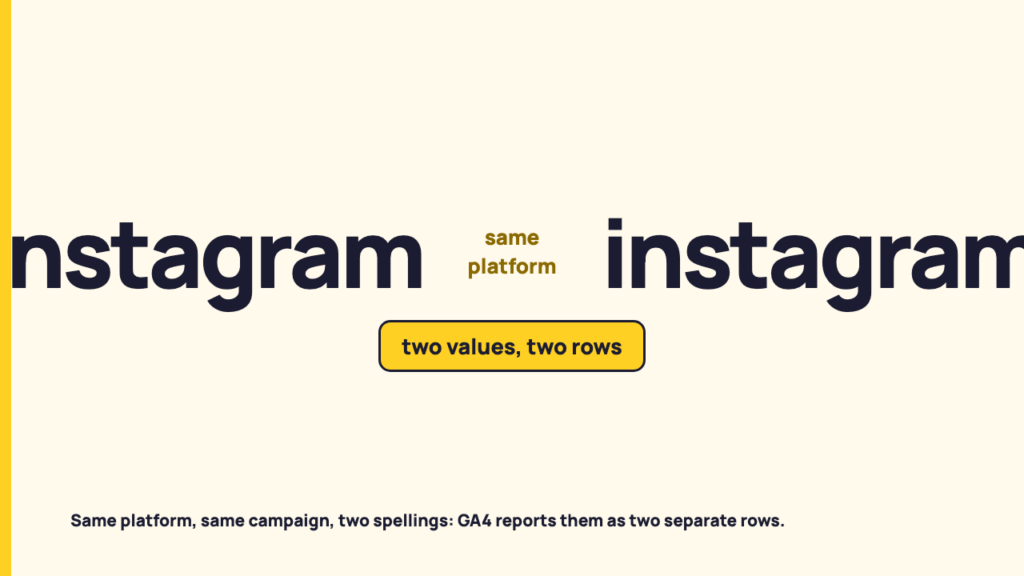
Are UTM parameters case sensitive? Yes. Google’s Analytics Help page on URL builders says “Parameter values are case sensitive”, so utm_source=Instagram and utm_source=instagram are two different values, and a report that lists sources shows them as two rows. The same page advises using lowercase as a standard practice.
One limit up front. This is a reading of Google’s Analytics Help pages, nothing more. No account was inspected, no report was reproduced, and nothing here was tested in a property. Where the pages are silent, the post says so.
The report that shows the same source twice
Picture the meeting. A campaign has been running across several weeks, posts went out from more than one person, and the export now has a source column where one platform appears under two spellings. The totals do not match, so someone asks whether tracking failed on one of them, the same reflex that greets most social analytics numbers that don’t match. Someone else suggests the export was run twice.
The less alarming explanation is the one Google documents. Each row is a distinct string, and GA4 reports distinct strings separately. Nothing is lost and nothing is double counted in the sense of the same visit appearing twice. The same kind of visit simply arrived under two labels. The rest of this post is about where that rule is written down, what it covers, and what Google does not say about repairing it afterwards.
Are UTM parameters case sensitive? What Google’s page says
The relevant page is Google’s Analytics Help article on URL builders and custom campaign data, at support.google.com/analytics/answer/10917952. I fetched it on 2026-10-31 and it returned HTTP 200. The page shows no last-updated date, so the access date is the only date I can give you.
In the section on adding parameters to a URL, it says:
Parameter values are case sensitive, e.g. utm_source=google is different from utm_source=Google.
The guidance block on the same page repeats the point in the row about naming and field consistency:
Keywords with different capitalization, such as Meta and meta, are treated as different values. Use lowercase as a standard practice.
The same row shows that the rule is about strings, not only capital letters: “SpringSale and Spring_Sale are considered distinct.” A different separator, a different spelling or a stray capital each produce a different value.
There is an older article worth knowing about, but only as history. Google’s legacy page at support.google.com/analytics/answer/1033863 (fetched 2026-10-31, HTTP 200) is titled “[UA] Collect campaign data with custom URLs [Legacy]” and carries the notice “You are viewing a legacy article about Universal Analytics.” It makes the same point in older wording: “Analytics is case sensitive … Case sensitivity applies for each value you define.” That is documentation for Universal Analytics, not GA4, so it shows the rule has a long history and nothing more. Everything GA4-specific in this post comes from the first page.
Two strings, two rows: a hypothetical
This is an illustration of the documented rule, not something observed in an account. Imagine two link tails used for the same platform:
- ?utm_source=Instagram&utm_medium=social&utm_campaign=autumn-launch
- ?utm_source=instagram&utm_medium=social&utm_campaign=autumn-launch
The only difference is the first letter of the source. Under the rule Google states, these are two values of utm_source. Some visits arrive through the first link and the rest through the second, and a report that lists sources will list them as two entries. I am deliberately giving no totals, because any number here would be invented.
Google names where these values show up. The page says you can view Session source/medium, Session medium, Session source and Session campaign in the Acquisition > Traffic acquisition report. That is all the page says about where to look, and I am not going to describe how a particular screen is laid out beyond it.
Why a social team produces the split in the first place
This section is reasoning from the documentation, not a claim about how often the problem occurs. I have no count of affected teams and will not pretend to one.
Google’s guidance for the source parameter is to use only one unique utm_source for each distinct platform. On the page’s own terms, that is a rule about discipline, and social work is a setting where discipline is hard to hold. Links get written by different people, in different tools, on different days, and anything typed by hand can drift by a capital letter. The page also advises that dynamic parameters should follow a consistent pattern, which points at the same weakness from the automated side: two systems generating values by two different patterns will disagree.
Notice what Google’s own example uses. It suggests fb for Facebook and insta for Instagram. Those are short labels, not platform names GA4 is known to recognise, which tells you the value is a label you choose. Google does not tell you which label to use. It tells you to keep whatever you choose consistent.
What Google documents as the remedy, and what it does not
What the page documents is prevention. Taken from its wording:
- Maintain a strict, case-sensitive naming convention for fields such as source, medium and campaign.
- Use lowercase as a standard practice.
- Ensure values match your internal platform names “so Google Analytics doesn’t fragment reporting.”
A related warning sits in the note beside the case rule. If you set one UTM parameter, Google strongly recommends setting all relevant ones, especially utm_source, utm_medium, utm_campaign, utm_id and utm_source_platform, and says “Missing UTM parameters will result in (not set) values being present in reporting.” That is a different cause of messy rows, but it shows up in the same report. Shortened links carry the same tail, so whoever builds them, by hand or through a tool such as RecurPost’s Bitly integration, should apply the same lowercase convention.
A lowercase naming convention
Google’s page gives rules rather than a template. The table below only arranges this post’s own examples under those rules, and adds no rule of its own.
| Parameter | Example value from this post | Rule on Google’s page |
|---|---|---|
| utm_source | instagram (Google’s own example label is insta) | One unique utm_source for each distinct platform; use lowercase as a standard practice |
| utm_medium | social | A strict, case-sensitive naming convention for source, medium and campaign |
| utm_campaign | autumn-launch | The same convention; “SpringSale and Spring_Sale are considered distinct”, so one separator, used every time |
Now the boundary. The two pages I fetched do not describe any way to merge rows that have already been collected. They say how to avoid the split, not how to repair one. I did not fetch any further Google page on channel group conditions, report filters or comparisons, so whether those features treat case differently is an open question in this post. I am not filling that gap from memory or from third-party blogs, and you should not read silence here as a statement that no fix exists. It means these pages do not say.
One part of that open question has since been checked. Google’s default channel group page, read on 2026-11-03, says: “Channel definitions aren’t case sensitive and can’t be edited.” On that wording, utm_source=Instagram and utm_source=instagram are matched the same way by the default channel definitions, even though they remain two rows in the source column. Report filters, comparisons and custom channel groups were still not checked.
What to say to the manager holding the export
A sentence you can use as it stands: these two rows are one source spelled two ways, the platform treats them as different values, and until the tagging is consistent the totals should be read together for that source.
You can check this without any tooling beyond the report itself. Scan the source and campaign columns for values that differ only by case, by separators or by spelling. If two rows differ only that way, the cause is the one Google documents. If they differ in some other way, this post gives you no basis for explaining them.
Where each row ends up in the report’s channel grouping is a separate question, covered in how GA4 decides a visit is social. This post does not restate those rules.
What this reading leaves out
No account was inspected and no report was reproduced, so this post makes no claim about how any particular property behaves beyond Google’s text. The pages relied on are the GA4-era article at support.google.com/analytics/answer/10917952 and the legacy Universal Analytics article at support.google.com/analytics/answer/1033863, both accessed on 2026-10-31. Google can revise either page, and the first shows no date of its own.
Split rows are one of several things that change what a report shows. What thresholds and sampling cover is a separate mechanism that changes which rows appear, and social sessions GA4 may not count deals with sessions missing from a report altogether. A third mechanism moves visits out of the social rows entirely, and it is covered in why social clicks arrive labelled as direct.
Keep reading
If the export in front of you raises a channel grouping question rather than a spelling one, start with the channel groups post linked above, then come back to the source and campaign columns.
FAQ
Are UTM values case sensitive in GA4?
Yes, according to Google’s Analytics Help page on URL builders (accessed 2026-10-31): “Parameter values are case sensitive, e.g. utm_source=google is different from utm_source=Google.” The page shows no last-updated date.
Does Google document a way to merge rows that are already split?
Not on the two pages I fetched. They describe prevention only. Default channel groups are covered in the next answer; whether filters or comparisons handle case differently was not checked here, so that remains unanswered.
Does case affect which default channel a session lands in?
Google’s default channel group page, read on 2026-11-03, says “Channel definitions aren’t case sensitive and can’t be edited.” Filters, comparisons and custom channel groups were not checked.
Sources
- Google Analytics Help, URL builders: Collect campaign data with custom URLs, fetched 2026-10-31, HTTP 200.
- Google Analytics Help, [UA] Collect campaign data with custom URLs [Legacy], fetched 2026-10-31, HTTP 200. Legacy Universal Analytics article, cited as history only.
- Google Analytics Help, Default channel group, fetched 2026-11-03, HTTP 200.