A social media call to action (CTA) is the part of a post or profile that asks people to do something next: comment, share, tap a link, book, buy or subscribe. It can be written into a caption, or it can be a button or sticker the platform builds and controls. The platforms document the second kind in detail, and Meta publishes a rule about the first.
A house style says every post should end with a call to action. Someone on the team says those requests are costing reach. Both positions are often held without a document in sight. The scenario is hypothetical.
This piece is a reading of the help pages and policies of Meta, Instagram, Google, LinkedIn, YouTube and Pinterest, first read on 28 October 2026 and re-checked on 9 November 2026. It does not offer caption phrases to copy, for two reasons: none of the platforms reviewed publishes such a list, and none of the material reviewed measures the effect of particular wording. The closest thing the platforms publish to a list of call to action examples is the set of button labels they let you choose, and those are collected below. No account was checked and no post was tested.
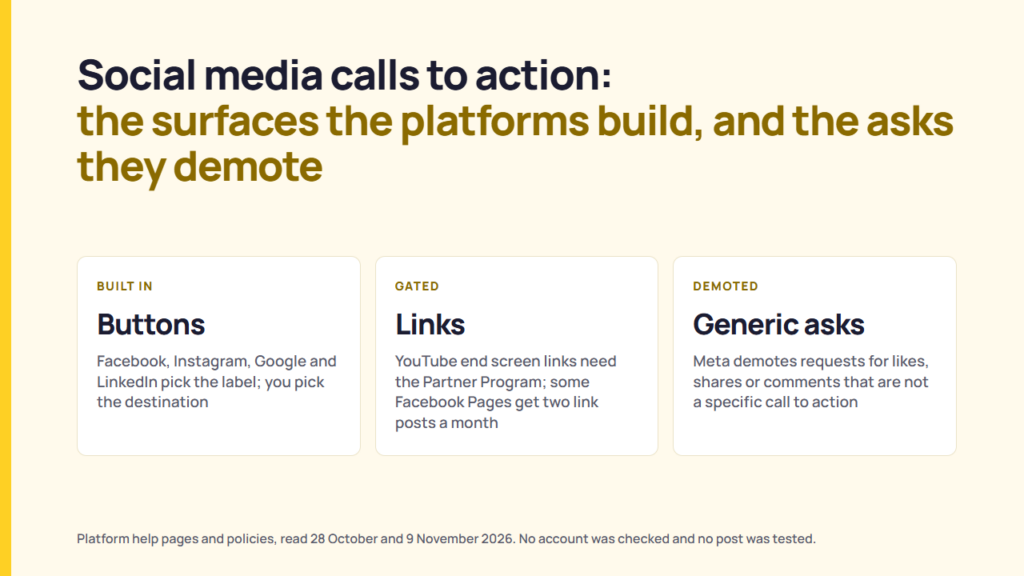
The platforms document two things about calls to action. First, they build specific surfaces for them, each gated by something other than the words: an action button on a Facebook Page, an Instagram profile or a Google Business Profile post, a custom button on a LinkedIn Page, a link sticker in an Instagram Story, and end screens and cards on YouTube. Second, Meta publishes a rule that demotes posts that “explicitly request engagement” when the request is “for purposes other than a specific call to action”. Meta’s examples of a specific call to action are “seeking help to find missing people or property, raising money, or sharing a petition”. It publishes no test beyond those examples.
What is a call to action on social media?
None of the platforms reviewed defines the term in a glossary, but their own pages use it for three different things. Reading those pages side by side, a social media call to action takes one of three forms.
| Form | What it looks like | Who controls the wording |
|---|---|---|
| An ask in the copy | A caption or video line asking people to like, comment, share, tag, vote or follow. | The account. This is the form Meta’s engagement bait rule and LinkedIn’s engagement bait statement address. |
| A link | A link in a post, a comment, a Story link sticker or a YouTube end screen element. | The account writes the words around it, but the platforms set conditions on the link itself. |
| A built-in button | An action button on a Page, a profile or a post, chosen from a list the platform supplies. | The platform. The account picks a label and a destination. |
That split is an interpretation of the sources, not a definition any platform publishes. It matters because the documents treat the three forms very differently.
Meta’s engagement bait rule, and when an ask costs you distribution
Meta’s engagement bait guideline, which is written for Facebook, covers “Posts that explicitly request engagement”. It describes these as requests for votes, shares, comments, tags, likes or other reactions made “for purposes other than a specific call to action”. Its examples of a specific call to action are “seeking help to find missing people or property, raising money, or sharing a petition”. Meta gives its reason in the same guideline: feedback shows “people dislike spammy posts on Facebook” that ask them to interact.
The guideline also identifies two exclusions. It does not apply to posts that “ask people to engage in order to show they do or do not support an issue” or to posts that “share time-sensitive information regarding natural disasters and life-threatening events”.
Meta’s enforcement page states the consequence directly: it will “demote posts that repeatedly use engagement bait to artificially gain reach in News Feed”. Engagement bait and clickbait appear together in Meta’s broader “Responding to People’s Direct Feedback” category. That category also includes links to sites “covered with ads, slow to load or broken” and comments “repeatedly copied and pasted”. Meta describes everything on the list as content that does not violate the Community Standards but “might still be problematic or otherwise low-quality”. Meta’s shorter page on reducing the distribution of problematic content names engagement bait and clickbait for Facebook and Instagram together, a point also covered in what Instagram has published about its ranking signals.
Meta defines clickbait separately. Its guideline covers “Posts that lure people into clicking on an included link” by “creating misleading expectations about the post or article’s content”. It gives sensationalist phrases such as “You won’t believe…” and “You’ll never guess…” as examples, along with misleading punctuation such as all-capital words and excessive exclamation marks.
What Meta does not publish is a test beyond those examples. Its examples cover help requests, fundraising and petitions, but do not establish whether other requests qualify as specific calls to action. There is also no figure showing how much distribution is reduced, and no notification confirming that a post has been affected. A demotion in ranking is also a different matter from being ruled out of recommendations, which is covered in what the platforms say makes a post ineligible for recommendation.
The guidelines have also changed over time. Meta’s change log records fourteen guidelines removed and one updated in July 2025 alone. A demotion list a team relied on two years ago may therefore no longer reflect the current list.
LinkedIn has made a comparable statement. Its Pressroom announcement of 12 March 2026 says LinkedIn is improving its systems “to reduce repetitive, low-substance posts and engagement bait”, and names “comment to agree” prompts as an example. How the LinkedIn feed ranks posts reads that announcement alongside LinkedIn’s engineering posts. Some brands set a stricter rule for themselves: Mailchimp’s published style guide says “Never ask for retweets, likes, or favorites”, one of the instructions compared in what ten published brand voice guides agree on.
The call-to-action buttons, stickers, end screens and cards the platforms build in
Five of the six platforms reviewed here document a call-to-action surface, and each has a constraint stated in the relevant help article. Pinterest, the sixth, attaches attribution to a claimed website rather than offering a button.
| Platform and surface | What it does | The documented constraint |
|---|---|---|
| Facebook Page, action button | From the Page, “click Options, then click Add action button or Edit action button”, select a button and follow the instructions on screen. | “To add an action button to your Page on Facebook, you’ll need to have Facebook access.” The button is chosen from Meta’s options, and the help article does not list them. |
| Facebook Page post, call-to-action button on a link post | When a Page includes a link in an organic post or comment, it can “Add a call-to-action button: Add a dedicated button to your post that sends your audience directly to a destination of your choice.” | The button rides on a link post, and where Meta’s link limit applies, a Page can include links in “up to 2 organic posts or comments per month” without a Meta One Advanced, Expert or Max plan. |
| Facebook post, donate button | A post created with “Raise Money” shows a donate button once published. | The organisation has to be enrolled with Facebook’s fundraising tools to accept donations through Facebook. |
| Instagram business profile, action button | Three buttons: “Book now”, “Reserve” and “Order food”. | “You need an existing account with a partner to select them”, the list of providers is limited, and “Only one action button can be displayed on your profile at a time.” |
| Instagram Story, link sticker | “When people tap on this link sticker in your story, they’ll be redirected to the linked website.” | “These link stickers can only be used in organic Instagram Stories.” Stories ads use a separate call-to-action sticker. |
| Google Business Profile, action button on a post | An Update post can include “a description, photo, video, and an action button with a link”. An Offer post “automatically includes a ‘View Offer’ button”. Event posts can also include a button. | “The button should direct customers to a website where they can complete the action, like make a booking, order online, or learn more.” |
| LinkedIn Page, custom button | A Page super admin switches on the Custom button toggle in the Buttons tab, selects a button name from LinkedIn’s options and enters a URL. LinkedIn says “the button will appear at the top of your Page”. | “We’re gradually making this feature available, and you might not have access to it at this time.” Without a Premium Company Page subscription, “the call-to-action option is only visible when members click the More button”. With one, LinkedIn says the button can appear at the top of the Page, on feed posts and on search result cards. |
| YouTube, end screens | “End screens can be added to the last 5-20 seconds of a video.” Elements can point to a video or playlist, a subscribe prompt, another channel, or an external site. | “Your video has to be at least 25 seconds long to have an end screen.” “You can add up to four elements to your end screen for videos with standard 16:9 aspect ratio”, and other aspect ratios may allow fewer. External links need YouTube Partner Program membership. |
| YouTube, cards | Cards “can feature a video, playlist, channel, or link”. “You can add up to 5 cards to one video.” | “Cards aren’t available on videos set as made for kids.” The link card is available only to creators in the YouTube Partner Program. |
| Pinterest, claimed website | When an image from a claimed site is saved, “Your profile picture will appear alongside the Pin”, “The Pin will link to your Pinterest profile”, and “People will see the option to follow you on Pinterest”. | This is attribution attached to a domain you have claimed, not a button you write. |
Sources: Facebook Help Centre, Instagram Help Center, Google Business Profile Help, LinkedIn Help, YouTube Help and Pinterest Help, read 2026-10-28 and 2026-11-09.
Three conditions on YouTube’s end screen page matter before an end screen goes into a template. End screens are unavailable for videos set as made for kids. Viewers have the ability to hide end screens while watching. YouTube also states that “Your end screen may not always show, or may show differently than designed.” A linked site that violates policy can lead to “card or link removal, strikes, or termination of your Google Account”.
Across these rows, the pattern is consistent. Each documented call-to-action surface depends on something beyond the wording: Page access, a partner account, a fundraising enrolment, a monthly link allowance, Partner Program membership, a published product page, a minimum video length or a claimed domain. A Premium subscription affects where LinkedIn’s button is shown, while aspect ratio affects how many elements YouTube allows on an end screen. None of the help pages read sets a requirement for the wording a team writes. YouTube’s end screen page goes no further than a best-practice line: “Encourage viewers to click using calls to action for different end screen elements.” This is an interpretation of the sources, not a statement made by the platforms.
Call to action examples the platforms supply themselves
The platforms do not publish caption phrases, but four of them publish the button labels an account can choose from. These are the only call to action examples that come from the platforms’ own documentation.
| Platform and surface | Button labels the platform documents | Source |
|---|---|---|
| LinkedIn Page custom button | Visit website, Contact us, Learn more, Sign up, Register, Give, Volunteer, Request demo, Buy now, Request services. “Request services” needs a Page that offers services, and “Request demo” needs “a published Flagship product page”. | LinkedIn Help, “Custom call-to-action options for your LinkedIn Page” |
| Instagram business profile action button | Book now (“Book an appointment”), Reserve (“Make a reservations at a restaurant”), Order food (“Get food delivery or take-out from a business”). | Instagram Help Center, “About action buttons for Instagram Business profiles” |
| Google Business Profile post button | Google’s posts API lists the action types Book, Order, Shop, Learn more, Sign up and Call. The Help Centre gives “make a booking, order online, or learn more” as examples, and an Offer post carries “View Offer”. | Google Business Profile API reference, localPosts ActionType; Google Business Profile Help |
| YouTube end screen elements | Video, Playlist, Subscribe, Channel and Link, plus an option to apply a template. | YouTube Help, “Add end screens” |
Meta’s Facebook Page article does not list its button options, so they are not reproduced here. The labels on Google’s posts API are developer names, and the wording shown in the Business Profile editor may differ.
What the documents say about links specifically
Links are a common call to action, and three of the platforms reviewed specify conditions for them that do not depend on the wording around the link. Whether link posts underperform inside a single account has been measured separately, in whether image posts beat link posts on 45,000 posts.
YouTube requires membership in the YouTube Partner Program for external links in both end screens and cards. Google says a button on a Business Profile post should direct customers to a website where they can complete the action, giving “make a booking, order online, or learn more” as examples. Instagram’s link sticker is limited to organic Stories.
Meta goes furthest. Its Help Centre says “Limits on posts and comments with links may not apply to all Pages”, and where the limit applies a Page can include links in up to two organic posts or comments a month, rising with a paid Meta One Advanced, Expert or Max plan. Links to Meta technologies, affiliate partner links, links in ads and additional links in the comments of a post that already has one do not count. How that limit compares with X’s charge for link posts is set out in two free links a month on Facebook and X.
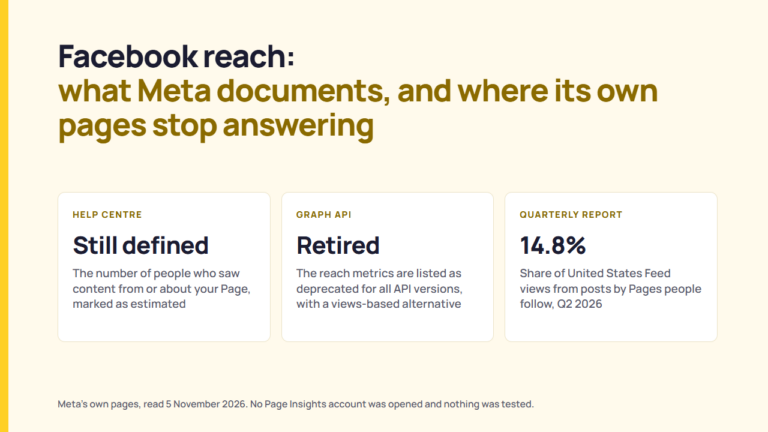
Meta also reports a different kind of figure. Its Widely Viewed Content Report states that posts containing an external link accounted for 1.1% of Feed content views in the United States in the second quarter of 2026, compared with 1.3% in the first quarter.
These figures describe the composition of Feed content views; they do not show that posts containing links are demoted. What they do show is how small a share of United States Feed views link posts account for. This is an interpretation of the report. If a link is the call to action, the click a platform reports and the visit an analytics tool records are different events, as link clicks, landing page views and sessions explains.
What a content lead can settle with this
Seven arguments that come up in a content review, each tied to a document.
| The argument in the room | What the documents support |
|---|---|
| “Our calls to action are killing reach.” | Meta demotes posts that explicitly request engagement where the request is for purposes other than a specific call to action. It publishes no figure for the effect. |
| “So we should stop asking.” | Nothing read says that. The guideline’s own wording excludes specific calls to action, and two further categories besides. |
| “Every post needs a call to action.” | No platform document read requires one. The surfaces the platforms build are optional, and Meta’s only published rule on asking is a demotion rule. |
| “Let’s just say comment below.” | Comments are on the list of engagement the guideline covers, and “comment below” is not among Meta’s examples of a specific call to action. LinkedIn names “comment to agree” prompts as engagement bait. That is a reading of the documents, not a ruling from either platform. |
| “Put a button on it.” | Documented on Facebook Pages and link posts, Instagram business profiles, Google Business Profile posts and LinkedIn Pages, each with its own gate. |
| “Link in the video.” | On YouTube, external links in end screens and cards require YouTube Partner Program membership. |
| “Would a better phrase fix it?” | No source read publishes a wording requirement, or measures the effect of one. Testing two versions on your own account is the only way to find out, and what Meta’s A/B test tool needs before it calls a winner sets out the limits of that. |
The platforms document the available features and the limits on asking for engagement, but they do not provide a general formula for call-to-action wording. Each documented feature depends on an account or format condition, while Meta’s published demotion rule does not include a test for specificity. Treat the rule as you would any other platform rule: read the documentation before relying on it and note the date alongside the rule.
What could not be confirmed
This review could not settle six points:
- No TikTok page was reviewed because tiktok.com was unreachable from the network used.
- Meta does not publish a test beyond its examples of a specific call to action: seeking help to find missing people or property, raising money or sharing a petition.
- Meta does not publish a figure showing how much engagement bait reduces distribution, or a notification method confirming that a post has been affected.
- Meta’s article on Facebook Page action buttons does not list the buttons available, and says only that you select one.
- None of the sources reviewed measures the effect of particular wording on an outcome, so this article makes no performance claim.
- Advertising calls to action are a separate product with separate rules and were outside the scope of this review.
FAQ
What is a call to action on social media?
A social media call to action is the part of a post or profile that asks people to do something next. The platforms reviewed do not define the term, but five of them document a call-to-action surface: action buttons on Facebook Pages, Instagram business profiles and Google Business Profile posts, a custom button on a LinkedIn Page, Instagram’s link sticker, and end screens and cards on YouTube.
What are examples of call-to-action buttons on social media?
LinkedIn lists Visit website, Contact us, Learn more, Sign up, Register, Give, Volunteer, Request demo, Buy now and Request services. Instagram lists Book now, Reserve and Order food. Google’s posts API lists Book, Order, Shop, Learn more, Sign up and Call. YouTube end screens offer Video, Playlist, Subscribe, Channel and Link.
Does every social media post need a call to action?
No platform document reviewed here requires one. Meta demotes posts that ask for engagement for purposes other than a specific call to action, and Mailchimp’s style guide tells its own writers “Never ask for retweets, likes, or favorites.”
Do calls to action reduce your reach?
On Facebook, Meta demotes posts that explicitly request engagement when the request is for purposes other than a specific call to action. Examples of a specific call to action are seeking help to find missing people or property, raising money or sharing a petition. The guideline also excludes posts asking people to show support for an issue and posts sharing time-sensitive information about natural disasters and life-threatening events. Meta does not publish a figure showing how much distribution is affected.
Does Facebook demote posts that ask for comments?
Meta’s engagement bait guideline covers posts that explicitly request “votes, shares, comments, tags, likes, or other reactions” for purposes other than a specific call to action. Meta says it will “demote posts that repeatedly use engagement bait”. A request for comments is therefore covered when it is made for purposes other than a specific call to action.
What counts as engagement bait?
Meta’s guideline covers posts that explicitly request likes, shares, comments, tags or votes for purposes other than a specific call to action. Its examples of a specific call to action are seeking help to find missing people or property, raising money or sharing a petition. It also identifies two further exclusions but does not publish a test beyond these examples. LinkedIn separately names “comment to agree” prompts as engagement bait.
Can you add a call-to-action button to a social media post?
On some platforms. Facebook lets a Page add a call-to-action button to an organic post that includes a link, and a donate button to a fundraising post. Google documents an action button for Business Profile posts. LinkedIn’s custom button sits on the Page, and with a Premium Company Page subscription LinkedIn says it can also appear on feed posts and search result cards.
How do you add a call-to-action button to a LinkedIn Page?
A Page super admin can open the Page’s Buttons tab, switch on the Custom button toggle, select a button name from LinkedIn’s available options and enter a URL. LinkedIn says the button “will appear at the top of your Page”. Without a Premium Company Page subscription, the button is “only visible when members click the More button”.
How do you add an action button to a Facebook Page or Instagram profile?
On Facebook, a person with Facebook access to the Page clicks Options, then Add action button, selects a button and saves. On Instagram, a business account chooses Book now, Reserve or Order food, which needs an existing account with one of Instagram’s partners, and only one button shows at a time.
Sources
- Meta Transparency Center, Content Distribution Guidelines, “Engagement Bait“, read 2026-10-28 and 2026-11-09.
- Meta Transparency Center, Content Distribution Guidelines, “Clickbait Links“, read 2026-10-28.
- Meta Transparency Center, “Repeatedly posting low-quality content“, read 2026-10-28 and 2026-11-09.
- Meta Transparency Center, “Reducing the distribution of problematic content“, read 2026-10-28.
- Meta Transparency Center, “CDG Corrections and adjustments“, read 2026-10-28 and 2026-11-09.
- Meta Transparency Center, “Widely Viewed Content Report“, read 2026-10-28.
- Facebook Help Centre, “Add an action button to your Facebook Page“, read 2026-11-09.
- Facebook Help Centre, “About links in organic Facebook Page posts and comments“, read 2026-11-09.
- Facebook Help Centre, “Add a donate button to your Facebook post“, read 2026-11-09.
- Instagram Help Center, “About action buttons for Instagram Business profiles“, read 2026-11-09.
- Instagram Help Center, “About link sticker on Instagram Stories“, read 2026-11-09.
- Google Business Profile Help, “Create and manage posts on your Business Profile“, read 2026-10-28 and 2026-11-09.
- Google for Developers, Business Profile API, “accounts.locations.localPosts” (ActionType), read 2026-11-09.
- LinkedIn Help, “Add a custom call-to-action button to your LinkedIn Page“, read 2026-10-28 and 2026-11-09.
- LinkedIn Help, “Custom call-to-action options for your LinkedIn Page“, read 2026-11-09.
- LinkedIn Pressroom, “Improving the Feed“, 12 March 2026, read 2026-11-09.
- YouTube Help, “Add end screens to videos“, read 2026-10-28 and 2026-11-09.
- YouTube Help, “Add info cards to videos“, read 2026-10-28 and 2026-11-09.
- Pinterest Help, claiming your website, read 2026-10-28.
- Mailchimp Content Style Guide, “Writing for Social Media“, read 2026-11-09.