Your monthly report says GA4 recorded one number of social sessions, the platform’s own analytics says a different number of link clicks, and someone with budget authority wants to know which one is wrong. Neither has to be. This post is about the part of the gap that is a filing decision GA4 makes, and what you can and cannot do about it.
The question the boss is really asking
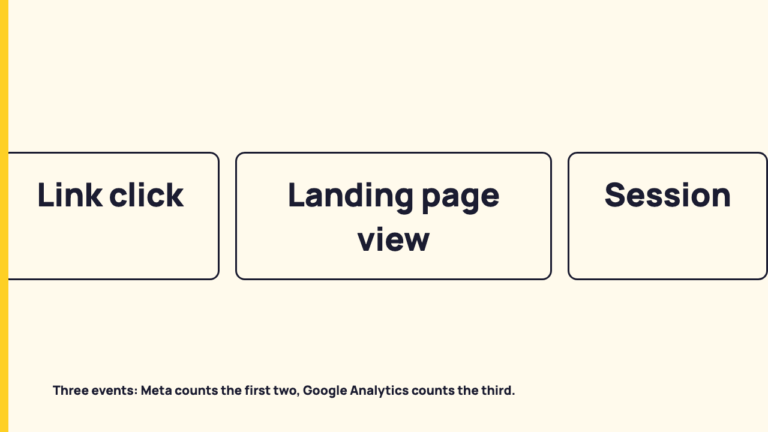
Three different things sit behind the two numbers. The platform counts a click on its own side, by its own definition. GA4 counts a session that arrived at your site and was recorded. Then GA4 does something the platform never does: it assigns that session to a channel, by rule. I am not claiming any size for the gap between the first two, because none of the documentation read for this piece gives one.
This post covers only the classification step. What happens when no referrer arrives at all is a separate subject, covered in why social traffic shows up as direct. How one platform defines a click, and why its own figures can disagree with each other, is in why platform numbers disagree with themselves.
Every rule below is quoted from Google’s Analytics Help pages as read on 2026-10-02. Google edits those pages, and the page itself says the definitions may evolve, so treat the quotes as a dated reading, not a permanent fact. This is desk research on published documentation. Nothing here comes from looking inside a real GA4 property.
Channels are rules, not observations
Google’s default channel group page describes channels as “rule-based definitions of your website’s traffic sources”. GA4 does not observe that a visit was “social”. It reads fields such as source and medium and applies conditions to them. The page adds that the definitions “may evolve as the market changes”, and that “Channel definitions aren’t case sensitive and can’t be edited.”
The page lists three dimensions that carry the channel value, and they differ in scope:
- Default channel group: event scope. The channels by which users arrived and triggered a key event.
- Session default channel group: session scope. The channels by which users arrived when they initiated new sessions.
- First user default channel group: user scope. The channels by which users first arrived.
A monthly social report is probably built on the session version, since Google’s scopes page says session-scoped dimensions surface in the Traffic acquisition report. I cannot know which dimension your report uses, and you should check. It matters because the same person can be filed in more than one way: first arriving from a social link makes them a social first user, while a later session that starts from another source is filed by that session’s own source and medium. That follows from the documented scopes, and I am not describing any observed data.
The rules that decide Organic Social and Paid Social
These are the manual-traffic conditions as the page read on 2026-10-02 states them. “Regex list of social sites” refers to Google’s downloadable list of sources and categories, which is Google’s to maintain.
| Channel | Condition as published |
|---|---|
| Organic Social | Source matches a regex list of social sites OR Medium is one of (“social”, “social-network”, “social-media”, “sm”, “social network”, “social media”) |
| Paid Social | Source matches a regex list of social sites AND Medium matches regex ^(.*cp.*|ppc|retargeting|paid.*)$ |
| Referral | Medium is one of (“referral”, “app”, or “link”) |
| Direct | Source exactly matches “(direct)” AND Medium is one of (“(not set)”, “(none)”) |
| Unassigned | “the value Analytics uses when there are no other channel rules that match the event data” |
The medium pattern in Paid Social reads, in plain words: the medium contains the letters cp anywhere, or is exactly ppc, or is exactly retargeting, or starts with paid. The AND is the important part. A social source alone does not make a visit Paid Social. It needs a paid-looking medium as well.
The Organic Social row works the other way. It has an OR, so either a source on Google’s social list or one of the six listed medium values is enough on its own.
Referral and Unassigned show where oddly tagged visits can end up. A medium of referral, app or link matches Referral. A visit whose values satisfy none of the rules lands in Unassigned. For Direct, I will stay on the rule line and leave the referrer behaviour to the sibling post linked above.
The order matters: reading the rules top to bottom
A single visit can satisfy more than one condition. A social source with a paid-looking medium satisfies the Paid Social rule, and a social source also satisfies the Organic Social source condition. The page lists the manual rules in this sequence: Direct, Cross-network, Paid Shopping, Paid Search, Paid Social, Paid Video, Display, Paid Other, Organic Shopping, Organic Social, and so on. The page as read does not say that this is the evaluation order, and it does not spell out a precedence rule, so I report the listed order as listed and infer nothing from it.
Here is a worked case, a reading of the rule text and not data. Take two links to the same page from the same social network.
- Link A has utm_medium=social. The medium is on the Organic Social list. The Paid Social condition needs a medium matching the paid regex, and “social” contains no cp, is not ppc or retargeting, and does not start with paid. So on the quoted text, A meets the Organic Social condition and not the Paid Social one.
- Link B has utm_medium=paid_social. It starts with “paid”, so the paid regex matches. With a social source, the Paid Social condition is met. “paid_social” is not on the Organic Social medium list, though a social source would still satisfy that rule’s source condition. That overlap is exactly why the missing precedence statement matters.
Now a medium that is not on Google’s list, for instance a custom label such as socialpost. It cannot match the Organic Social medium condition, because that condition is a list of six exact values. Only the source-list route remains. If the source is on Google’s list, the visit can still land in Organic Social. If not, it falls to whatever other rule matches, or Unassigned. That is a consequence of the quoted rule, not an observation.
What tagging does and does not decide
Google’s page on campaign URLs documents these parameters: utm_id, utm_source, utm_medium, utm_campaign, utm_source_platform, utm_term and utm_content. It says you should always use utm_source, utm_medium and utm_campaign, and that you can view Session source/medium, Session medium, Session source and Session campaign in the Traffic acquisition report.
The best practice table is direct about naming. It recommends “only one unique utm_medium for each distinct channel”, with paid_social as its example, and says to “maintain a strict, case-sensitive naming convention”. Its own examples are that Meta and meta are treated as different values, and SpringSale and Spring_Sale are distinct. Elsewhere it says parameter values are case sensitive, so utm_source=google is different from utm_source=Google.
What follows, stated without overreach: the medium you choose is what the medium conditions read. A typo or a variant label can therefore move sessions out of Organic Social, because the listed values are fixed strings. The page does not say how often this happens, and I will not guess.
Tagging has limits. It cannot change the default channel group, which Google says cannot be edited, and it cannot change the social source list, which is Google’s. Google says you can ask for a site to be added or a listing changed by contacting googleanalytics-channelgrouprequests@google.com, and that “Google Analytics reviews these requests at least once per year and often more frequently.”
The documentation read here is silent on how any specific platform or scheduler tags its outbound links, so I make no claim about that. Look at the actual landing URLs your own links carry.
What you can change in GA4 itself
Google’s custom channel groups page describes the documented route to reporting that groups traffic the way your team does.
- A custom channel group is a set of rule-based channels. It can be a primary dimension in reports that already support the default channel group, such as the Acquisition reports, and a secondary dimension in default reports.
- The supported fields are Campaign id, Campaign name, Default channel group, Manual ad content, Medium, Source and Source platform.
- Custom channel groups “can be applied to your reports retroactively.”
- The default channel group page says: “You can edit the primary channel group at any time, which serves as your property’s editable default channel group.” The Google default stays fixed.
- The stated limit: “It’s not currently possible to use custom channel groups in the Key events paths report.” The page also has a per-property limits table. Read it for your property type before planning around it, and I state none of its figures here.
So which number is right?
Both, for what each measures. The platform’s figure is a platform-side count by the platform’s own definition. The GA4 figure is sessions assigned to a channel by Google’s rules. A difference between them is not an error by itself.
Before blaming a platform, ask the report some questions. These are questions, not findings.
- Which dimension is the report using: default channel group, session default channel group or first user default channel group?
- What source and medium do the sessions show?
- Do those values satisfy the quoted Organic Social or Paid Social condition?
- Are there sessions under Referral or Unassigned that you expected to see under social?
- Are the values spelt consistently, including capitalisation?
The one sentence for a client: the two figures count different events, and GA4 files visits by published rules, here are the rules and the date they were read.
More on reading numbers is in the Measurement archive.
FAQ
Can I edit GA4’s default channel group?
No. Google says default channel groups cannot be edited and that channel definitions cannot be edited. The documented alternatives are custom channel groups and the primary channel group, which Google calls your property’s editable default.
Why does paid social traffic land in another channel?
Read the rule as written: Paid Social needs a social source and a medium matching ^(.*cp.*|ppc|retargeting|paid.*)$. Without a paid-looking medium, that manual rule does not match. This is a reading of the rule, not an observation of any property.
Sources
- Default channel group, Analytics Help, fetched 2026-10-02.
- Campaign URL parameters and UTM best practices, Analytics Help, fetched 2026-10-02.
- Custom channel groups, Analytics Help, fetched 2026-10-02.
- Scopes of traffic-source dimensions, Analytics Help, fetched 2026-10-02.
- Campaigns and traffic sources, Analytics Help, fetched 2026-10-02 (fetched, not quoted).
- GA4 default channel group sources and categories (PDF), fetched 2026-10-02. Cited as Google’s published list; individual domains not quoted.